RemotePC for Windows 10 - Full description
RemotePC is remote access software for connecting to and controlling computers over a network. It is suited to support staff, IT teams and businesses that need to reach workstations from another location, as well as individuals who want to access a computer remotely. An account is required to set up the service, and each host computer uses a remote access key to authorize connections. Keeping those credentials secure helps control who can reach a system.
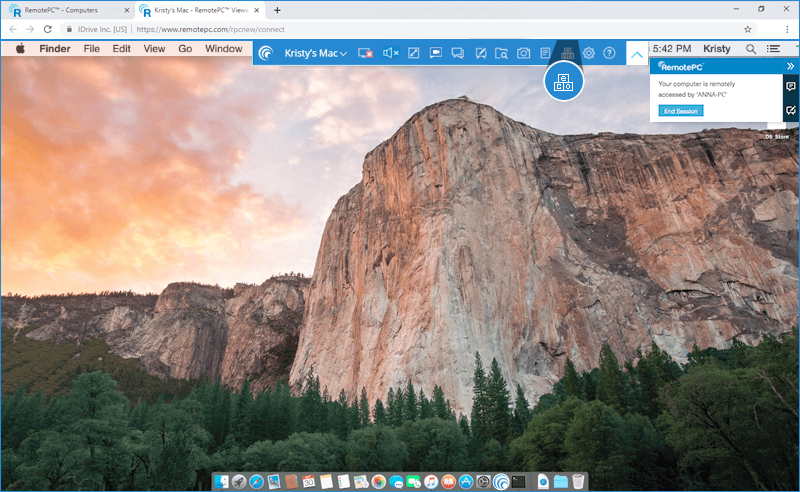
Once a session is established, the remote user can interact with the host desktop and use the controls available from the application's top bar. Chat supports communication between the people at each end of a session, while desktop annotation lets a remote user mark items on screen to clarify instructions or point out an issue. File exchange allows files to be transferred between the connected computers, and session recording can preserve a record of work or support activity.
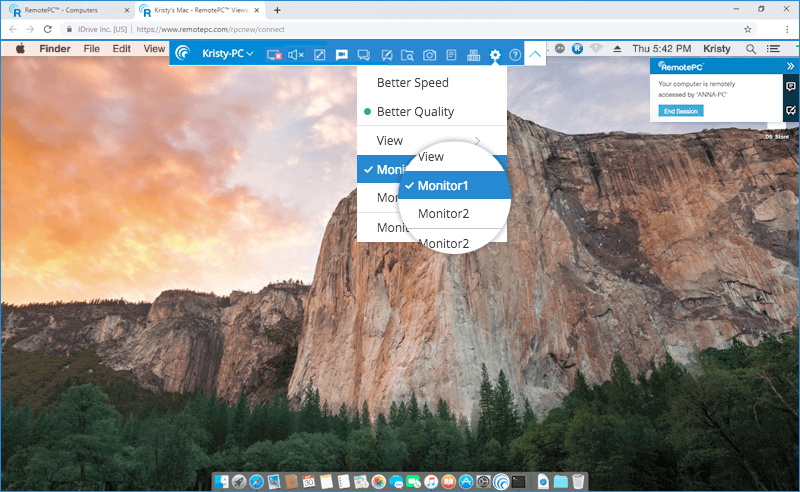
Connection settings help adapt sessions to different network conditions and preferences. Display quality can be adjusted, including lowering feed quality when responsiveness or bandwidth is a concern. Other options include removing desktop wallpapers and disabling visual themes, which can reduce visual effects during remote work. Wake-On-LAN can be configured to start a supported computer remotely, and sleep settings can be managed to help keep unattended systems reachable.
These tools can support remote troubleshooting, workstation monitoring, collaboration and access to a computer while away from its location. Organizations managing several devices can use remote access to handle routine tasks centrally or respond to urgent issues without being physically beside each machine. Chat, annotations and file exchange keep common support tasks within the session, while recording is useful when a session needs to be reviewed later.
RemotePC is trialware and requires an account. It is available for Windows 10 and Windows 11, as well as a range of Windows Server releases and Windows 8. Remote access depends on setting up the host computer and retaining its access credentials; Wake-On-LAN also requires compatible system and network configuration. The software is intended for remote computer access rather than general-purpose file synchronization or messaging.