@BIOS
... cutting-edge tool developed by the tech wizards at GIGABYTE TECHNOLOGY CO., LTD. This software is a game-changer for ... the future of BIOS updating with @BIOS by GIGABYTE TECHNOLOGY CO., LTD. It's fast, it's safe, and it's ...

EasyTune6 is GIGABYTE's Windows utility for overclocking and adjusting settings on compatible motherboards. Easy Mode offers a simpler approach for novice users, while Advanced Mode provides more detailed controls for experienced users. Support includes Intel 300-series and AMD AM4-series boards, with features varying by model.
| Author: | GIGA-BYTE TECHNOLOGY CO., LTD. |
| License: | Freeware |
| Price: | FREE |
| Released: | Jan 19, 2024 |
| File size: | 51.90 MB |
| Downloads: | 8115 |
| Keywords: | modify system settings, system tuning, gigabyte easytune, GIGA-BYTE TECHNOLOGY, cpu overclocking software, Windows 10 compatible, modify, EasyTune6, system overclock, overclock, system settings changer, motherboard overclocking utility, performance optimization, modifier, easy mode overclocking, system tuning utility, x64 software, advanced overclock controls |
| Author URL: | https://www.gigabyte.com/ |
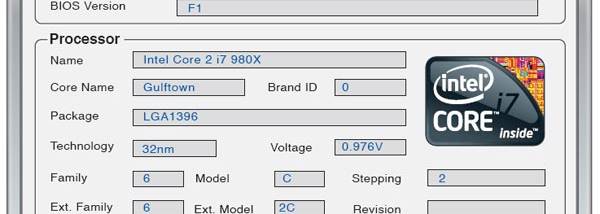

EasyTune6 is a Windows utility from GIGABYTE for adjusting and monitoring settings on supported motherboards. It is intended for users who want to tune system performance from within Windows, whether they are new to overclocking or prefer to make adjustments manually. Its two interface modes separate straightforward controls from more detailed options, so the level of control can match the user's experience and the capabilities of the motherboard.
Easy Mode provides a simpler route to performance tuning, with accessible controls for users who do not want to work through every setting individually. Advanced Mode exposes more detailed adjustment options for experienced users who want to fine-tune their system. These controls are used to change supported overclocking and system settings; available adjustments depend on the motherboard and its hardware. Changes should be made conservatively, since overclocking can affect stability and operating temperatures.
The utility also brings system tuning and status information into a Windows interface, reducing the need to make every adjustment through firmware setup. Users can apply settings, assess how the system behaves, and revise their configuration as needed. This workflow can be useful when testing performance changes or comparing settings, although the program does not replace careful monitoring or stability checks after a change. The controls available in a particular installation may differ by motherboard model and platform.
EasyTune6 is suited to compatible GIGABYTE systems used for performance tuning, including desktop PCs where users want to explore overclocking without relying exclusively on firmware menus. It is not a general-purpose tuning tool for every PC: motherboard support is essential, and supported features vary by model. GIGABYTE identifies Intel 300-series and AMD AM4-series motherboards as supported families, with compatibility varying across individual boards.
The program is freeware and runs on Windows 10 64-bit and Windows 11. Because it changes low-level system settings, users should check motherboard compatibility before installation and understand the effect of each adjustment before applying it. Overclocking results depend on the processor, memory, cooling and board, and a setting that works on one configuration may not be stable on another.