PopMessenger
... the hub for downloading PopMessenger, a premier communication software developed by the renowned LeadMind Development. This Windows 10 compatible software is designed to streamline and enhance ...

Emoji Keyboard is a desktop utility for finding and inserting emoji into messages and other text. Its panel groups symbols into familiar categories, while keyword search helps locate a specific item quickly. A recently used section provides fast access to frequently selected emoji. Users can open the panel with a keyboard shortcut, adjust its size and change its appearance to suit their preferences. The open-source program is available at no cost for Windows.
| Author: | Gilles Waeber |
| License: | Open Source |
| Price: | FREE |
| Released: | Dec 18, 2025 |
| File size: | 3.90 MB |
| Downloads: | 190 |
| Keywords: | insert emoji, emoji picker, Open-source, Type Emoji, emoji search tool, Windows 10, Emoji Keyboard free download, Gilles Waeber, User-friendly, emoji panel for pc, emoji keyboard, Customization, download Emoji Keyboard, Emote, Development, Keyboard, Emoticon, Emoji Keyboard, Emoji, Software, emoticon keyboard, GitHub, Emoji Collection |
| Author URL: | https://github.com/gilleswaeber/emoji-keyboard |
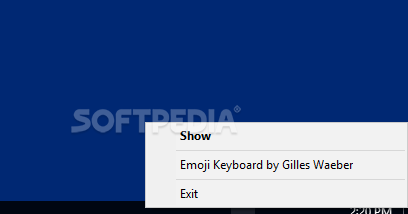


Emoji Keyboard is a desktop utility for people who want to insert expressive symbols into messages, documents and other text without memorizing character codes or searching through separate websites. Its compact panel organizes a collection of emojis into familiar categories, such as smileys, animals and food, so users can browse visually and select an item for use in their current task.
A built-in search helps narrow the collection when a particular emoji is in mind. Typing a keyword is quicker than scanning category by category, which can be useful during conversations or when drafting text. The recently used section provides another route to commonly selected symbols, reducing the steps needed to reuse them. Together, browsing, search and recent items suit both occasional emoji use and workflows where emojis appear regularly.
The keyboard panel can be opened with a shortcut, making it accessible while working in other applications. Users can adjust the shortcut and change the panel size to fit their preferences and screen setup. Appearance options allow the interface to better match the system theme. These settings keep the tool adaptable without requiring users to change how they compose text in their usual apps.
Emoji Keyboard is intended for everyday digital communication, from adding a smiley or food symbol to a personal message to locating a specific pictograph while composing work-related text. A categorized collection can also help users discover symbols they may not know by name. The panel offers a focused way to find and select emoji rather than relying on a separate browser search or repeatedly opening a character map.
The software is open source and available at no cost. It is offered for Windows 10 and Windows 11, as well as selected earlier Windows editions. The Windows download is approximately 4 MB. Emoji display can vary according to the operating system, application and font in use, so the same selected symbol may not look identical everywhere. Users should check compatibility with their version of Windows before installing.