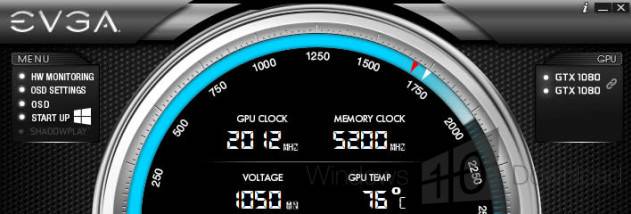
EVGA Precision for Windows 10 - Full description
EVGA Precision is a Windows utility for monitoring and tuning compatible EVGA graphics cards, particularly GeForce models. It gives enthusiasts and other users who adjust GPU behavior a central interface for changing clock speeds, voltage, power limits and cooling settings. Rather than relying only on automatic graphics-card behavior, users can create manual settings and check how the card responds during games or other demanding workloads.
The tuning controls cover GPU and memory clock offsets, GPU voltage and power target. Raising or lowering clock settings can help explore performance or stability trade-offs, while voltage and power controls let users shape how the card operates within its capabilities. Fan speed can be set directly or managed with a custom fan curve, which maps fan response to GPU temperature. This helps balance cooling and noise as workload changes. Pixel clock overclocking is also available for adjusting display refresh rates, subject to the capabilities of the graphics card and monitor.
For checking results, Precision includes hardware monitoring and an in-game on-screen display. Users can keep an eye on GPU, memory and voltage readings while a game is running, with OSD support for both 32-bit and 64-bit applications. Monitoring can also appear in the system tray. The profile system stores up to ten groups of settings, and hotkeys allow profiles to be switched without reopening the main interface. A screenshot hotkey saves images in BMP or JPG format. The redesigned OSD offers RGB color options, and the feature set includes frame-rate targeting.
These tools suit users who want to tune a graphics card for gaming, test a custom fan response, monitor temperatures and clock behavior, or experiment with display refresh rates. Settings can be changed and observed in real time, making it easier to compare a profile with default behavior. Overclocking can increase heat and power use, and results vary by individual card and system; changes should be tested for stability and kept within the hardware's limits. Monitoring is useful for checking the effect of adjustments during actual use rather than relying on settings alone.
EVGA Precision is freeware. Its documented Windows support includes Windows Vista, Windows 7, Windows 8 and Windows 10, in both 32-bit and 64-bit editions where listed. The utility is intended for compatible EVGA graphics hardware, so available controls depend on the card and its capabilities. Some functions, including Steam Achievements, apply to the Steam version. It also includes DirectX 12 API support; this does not mean that every card or feature supports every available setting.