ExpPrint x64
ExpPrint is a file and directory listing utility that ... concise directory index or a more detailed catalog. ExpPrint can also calculate CRC32, MD2, MD4, MD5, SHA-1, ...

ExpPrint creates customizable lists of files and folders for printing or sharing. Listings can include file size, modification date and attributes, and can cover subfolders recursively. Users can filter file types, choose columns and adjust headers, then print the result or export it as HTML, CSV or plain text. Windows Explorer integration lets users start a listing from a folder's context menu.
| Author: | JD Design |
| License: | Demo |
| Price: | $7.00 |
| Released: | Jan 22, 2026 |
| File size: | 6.80 MB |
| Downloads: | 228 |
| Keywords: | export file list, Windows 10 software, print folder contents, x64, ExpPrint, file list, recursive directory listing, print combination, review, list, directory listing tool, folder inventory software, fresh, font, text lister, print, JD Design, custom file listing |
| Author URL: | https://dave-lowndes.github.io/Jdd_Web/ |
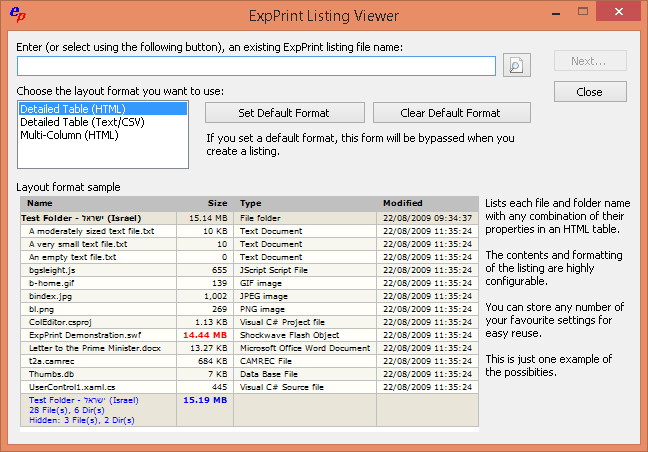



ExpPrint is a Windows utility for creating, customizing and printing lists of files and folders. It is useful for home users who want a paper or digital inventory of stored files, as well as IT staff who need to document directory contents for audits, handovers or project records. Rather than opening files one by one, users can generate a structured view of a folder and its contents, with details such as file size, modification date and attributes.
Listings can include individual folders or recurse through subfolders to capture a larger directory tree in one operation. This makes it practical to document a drive, archive or project directory without manually collecting information from each location. Users can choose which file types appear, apply filters and select the columns to include, helping keep an output focused on the information needed for a particular task. Column headers can also be customized to suit the intended audience or workflow.
ExpPrint supports direct printing and export to HTML, CSV and plain text. Printed output provides a convenient record for filing or review, while exported files can be shared, archived or used in other applications. CSV is suitable for working with listing data in spreadsheet software, and HTML offers a format that can be viewed in a browser. These options make the same directory information usable in both paper-based and digital processes.
The program integrates with Windows Explorer, where listings can be started from a context menu. This provides a direct workflow from the folder being documented, without requiring users to navigate to it separately within the utility. Custom selection and filtering options help produce different views for tasks such as tracking assets, preparing documentation, reviewing project contents or recording files before an archive or backup.
ExpPrint is distributed as demo software and is developed by JD Design. It supports Windows 10 in 32-bit and 64-bit editions, Windows 11, and Windows Server 2022 and 2025. Its focus is directory listing and output rather than file management: it creates a record of folder contents for printing or sharing, while files remain in their original locations.