FastShare for Windows 10 - Full description
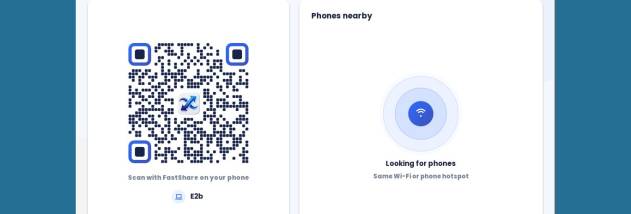
FastShare is a free file transfer app for Android and Windows. • Phone to phone over Wi-Fi Direct – the phones connect directly, no router and no internet. When both phones support 5 GHz, FastShare opens a 5 GHz link automatically; otherwise it uses 2.4 GHz. • Send to PC, both ways – the free Windows app finds phones on the same Wi-Fi automatically, or pair with a QR code. • Browser mode – a laptop without the app (Windows, Mac, Linux, Chromebook) opens an address shown on the phone in any browser to download or upload files. • Share from any app – pick FastShare in Android's share menu. • Resume – a cut transfer continues where it stopped. • Big files (over 4 GB) and whole folders. • Real live speed with the Wi-Fi band shown (5 GHz / 2.4 GHz) – no fake numbers. • Light, clean design. No account, no sign-up. Honest speed: phones with 2.4 GHz-only Wi-Fi reach about 5–12 MB/s; two 5 GHz (Wi-Fi 5) phones about 20–40 MB/s; two Wi-Fi 6 phones close together 40+ MB/s. Privacy: files go directly from one device to the other over the local network and are never uploaded to a server. The Android app is ad-supported (Unity Ads); the Windows app has no ads. Android 7.0+ · Windows 7 SP1 / 8.1 / 10 / 11 (64-bit, 32-bit, portable).