Portable HashTools
Portable HashTools is a file-hashing utility for Windows users who ... and browsing to the file. These features make Portable HashTools useful for developers checking build artifacts, IT staff ...

HashTools calculates file hashes for checking whether files match known checksum values. It supports MD5, SHA-1, SHA-256, SHA-384, SHA-512, and CRC32, and can process multiple files at once. Users can drag and drop files into the utility or start a calculation from the Windows File Explorer context menu. It is freeware from Binary Fortress Software.
| Author: | Binary Fortress Software |
| License: | Freeware |
| Price: | FREE |
| Released: | Dec 18, 2025 |
| File size: | 22.80 MB |
| Downloads: | 282 |
| Keywords: | sha256 checksum tool, calculate SHA256, x64 software, file integrity checker, verify file integrity, calculate SHA1, hash verification tool, SHA384, calculate MD5, batch hash calculator, Windows 10, MD5, crc32 checksum tool, calculate md5 hash, Binary Fortress Software, file hash calculator, SHA1, HashTools |
| Author URL: | https://www.binaryfortress.com/ |
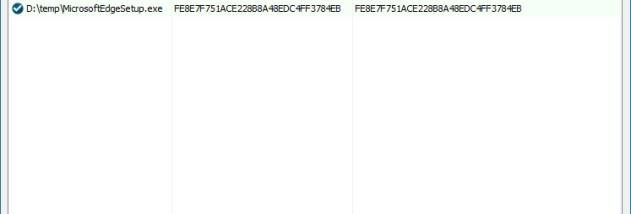
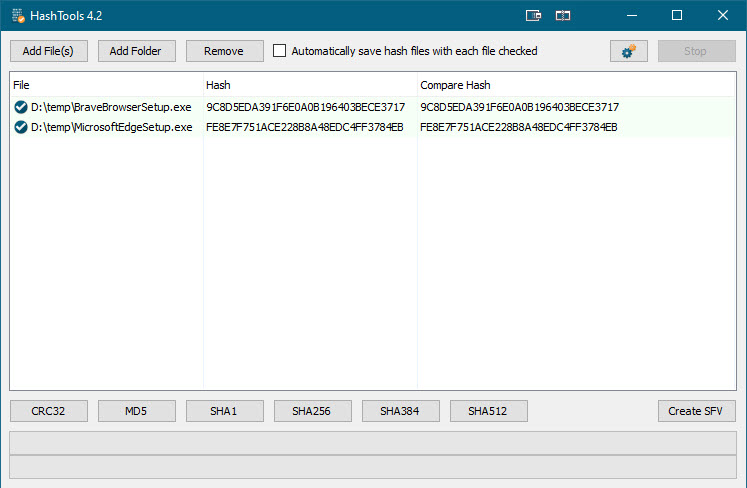


HashTools is a Windows utility for calculating and checking file hashes. It is useful for anyone who needs to confirm that a file matches a known checksum, including people managing downloads, archives, backups, or collections of files. Hash values provide a compact way to compare file contents: if a file changes, its calculated hash will usually differ from the expected value. The program supports several common algorithms, so users can select a checksum format that matches the reference they need to verify.
Files can be added by dragging them into HashTools, and the utility can process multiple files in one batch. This is practical when checking a folder of downloads or comparing a group of files against published checksum values. For each file, HashTools calculates hashes using MD5, SHA-1, SHA-256, SHA-384, SHA-512, or CRC32. The different algorithms cover common checksum workflows as well as cryptographic hash comparisons; the appropriate choice depends on the format of the checksum being checked.
HashTools can also be accessed from the Windows File Explorer context menu. This lets users start a hash calculation from a file's right-click menu rather than first opening the application and browsing for the file. Once a value is calculated, it can be compared with a trusted reference to check whether the contents match. A matching hash is useful for detecting accidental changes or corruption, but by itself it does not establish that a file came from a trustworthy source.
The utility suits everyday file checks as well as recurring batch work. A home user can check a downloaded installer against a checksum from its publisher, while an IT worker can process multiple files when reviewing transfers or maintaining archives. Support for several hash formats is helpful when different sources provide different checksum types, and the context-menu option keeps occasional checks close to the files being examined.
HashTools is freeware from Binary Fortress Software. It is available for Windows 10 and Windows 11, as well as supported Windows Server and Windows 8 systems. Its straightforward file-based workflow does not require users to work with command-line tools, while batch processing and Explorer integration make it practical for repeated integrity checks.