ICQ New
ICQ New is an instant messaging program for people ... on text alone. For calls to phone numbers, ICQ also offers a separate low-cost calling option. Voice ...

ICQ is a desktop instant messenger for text chats, voice and video calls, and file sharing. Users can send photos, videos, audio and documents from a chat window, make free calls to ICQ contacts, or call mobile phones and landlines at low rates. The client also offers themes, alternate conversation layouts, connected social accounts and email notifications.
| Author: | ICQ |
| License: | Freeware |
| Price: | FREE |
| Released: | Apr 20, 2023 |
| File size: | 104.00 MB |
| Downloads: | 954 |
| Keywords: | free video calling app, Group communication, file transfer, Instant messaging, instant messenger, Video chat, message, icq chat app, file sharing chat, icq messenger, desktop voice calls, instant messaging software, push2talk feature, ICQ, Cross-platform compatibility, chat, Social networking integration, File sharing |
| Author URL: | https://www.icq.com/ |

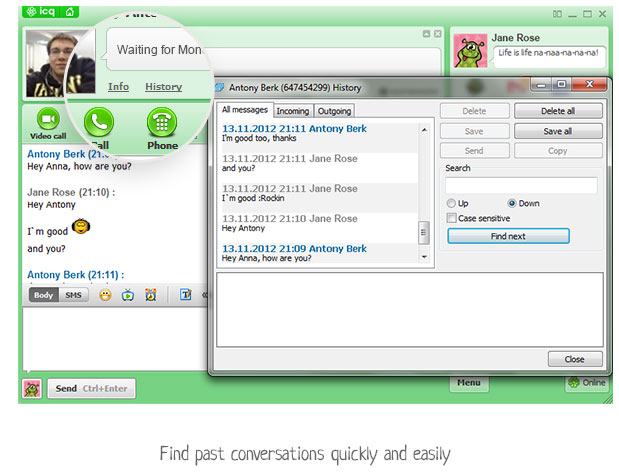


ICQ is an instant messaging and calling application for keeping in touch with friends, family and other contacts from a desktop computer. It combines text chats with voice and video calls, file sharing and contact access from supported social services, making it suitable for everyday conversations as well as sharing documents and media. The Windows client is free to use for messaging and calls between ICQ users.
Chats support sending photos, videos, audio and other files directly from the conversation window. This keeps shared items alongside the discussion rather than requiring a separate transfer tool. Voice calls provide a way to talk without typing, while video calls add a live view for face-to-face conversations. Calls between ICQ users are free; calls to mobile phones and landlines are offered at low rates, providing an option for reaching people who do not use the service.
The interface can be arranged in a single-window layout that keeps active contacts in view, or in a tabbed layout for switching among conversations. Themes and background colors allow users to change the appearance of the client. ICQ can also connect with supported social network and messaging accounts, including Facebook and Google Talk, so contacts from those services can be reached from the same application. Email account monitoring provides notifications when new messages arrive in an inbox.
ICQ is intended for people who want messaging, calls and file exchange in one desktop app, particularly when their contacts also use ICQ or a connected service. It can be used for informal catch-ups, video conversations with family, coordinating with friends, and sending documents or media during a chat. Its combination of free in-app calls and paid calls to regular phone numbers covers both online contacts and people reached through telephone networks.
The Windows application is freeware and supports Windows 10 and Windows 11, as well as earlier Windows releases. Some functions depend on having an ICQ account, an internet connection and compatible contacts or connected services. Calls to standard phone numbers are not the same as free ICQ-to-ICQ calls and may incur charges. The client is designed for desktop use and supports being signed in on PC, mobile and web at the same time.