PDF Locker
Welcome to the home of PDF Locker, a cutting-edge Windows 10 software developed by the renowned team at PDF Locker. This innovative software is a must-have tool for ...

M File Anti-Copy is a Windows utility for limiting access to files, folders, USB storage and system tools. It can block copying, moving, deletion or program launches, with rules applied broadly or to selected items using inclusion and exclusion lists. Additional controls can make USB storage read-only, close USB ports, and restrict actions such as Task Manager, Command Prompt, file uploading and drive formatting. It is designed for shared or sensitive workstations and also suits home PCs where tighter access control is needed.
| Author: | Mohsen Ektefa |
| License: | Trialware |
| Price: | $22.95 |
| Released: | Nov 26, 2012 |
| File size: | 2.40 MB |
| Downloads: | 399 |
| Keywords: | block program launching, Windows 10 compatible, copy, lock file, anti-copy technology, locker, file and folder locker, Anti Copy, file protection, usb access control, unlock file, block file copying, M File Anti-Copy, Mohsen Ektefa, file copy protection, lock, windows access restrictions, x64 software |
| Author URL: | http://danlod.ulmb.com |
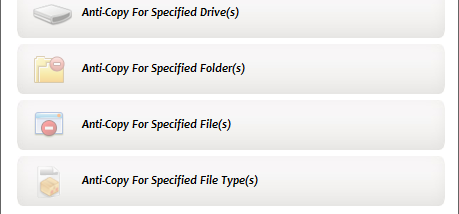

M File Anti-Copy is a Windows utility for restricting how files, folders and removable storage can be used. It is aimed at organizations that need to limit access to work materials on shared PCs, and can also be used on a home computer to reduce copying, deletion or unauthorized program use. Its controls let an administrator apply restrictions broadly or target particular content and devices.
The anti-copy feature can deny copying or moving files and folders. Rules can cover all files, drives or file types, or focus on selected items through inclusion and exclusion lists. This makes it possible to protect sensitive project folders while leaving ordinary documents available for normal work. Separate anti-delete controls can prevent selected files or folders from being removed, while anti-run rules can stop programs from launching. Anti-run restrictions can also be associated with specified Windows titles.
Removable storage controls offer several levels of restriction. The program can make USB storage read-only or close USB ports, reducing the ability to transfer files to or from connected devices. It can also block USB devices and restrict the installation of unwanted files. These options are intended for computers where the user should not have unrestricted access to external storage or software installation.
Additional controls cover Windows tools and common file operations. M File Anti-Copy can lock registry entries, Task Manager and Command Prompt, and disable actions such as drag and drop, Send To, CD burning, uploading or attaching files, and drive formatting. These settings provide a way to limit routes around file and device restrictions, particularly on computers used by multiple people. The interface groups the controls in menus, and online help is included to assist with setup.
The software is trialware and is intended for Windows systems, with stated support extending from older Windows releases through Windows 10. Its low reported CPU and resource use makes it suitable for background access control on a workstation. Restrictions should be configured carefully: locking system utilities, storage access or file operations can affect normal computer use, so the selected rules should match the needs of the people using the PC.