Create a Clock
Introducing "Create a Clock," the innovative software from My-Software.co.uk that transforms your Windows 10 experience ... colors, and sizes to choose from, you can create a clock that reflects your unique personality and ...

Mannequin is a 3D character creation and animation tool for artists, students, and game developers. Users can customize characters with drag-and-drop controls, pose them, and build animations on a timeline using keyframes. Real-time playback helps review movement, while lighting, texture, and effect options refine appearance. Import and export support lets models move between Mannequin and other design applications.
| Author: | AR14 |
| License: | Shareware |
| Price: | FREE |
| Released: | Nov 10, 2024 |
| File size: | 540.00 MB |
| Downloads: | 142 |
| Keywords: | Character, 3D modeling, AR14, simulation, Create Character, character design, keyframe animation software, Mannequin, Character Creator, intuitive interface, download Mannequin, software, dress up character tool, character posing software, game development, Mannequin free download, Create, creative toolkit, game character design, 3d character creator, customizable assets, 3d character animation, real-time rendering, Dress Character, Dress, interactive |
| Author URL: | https://ar14.itch.io/mannequin |

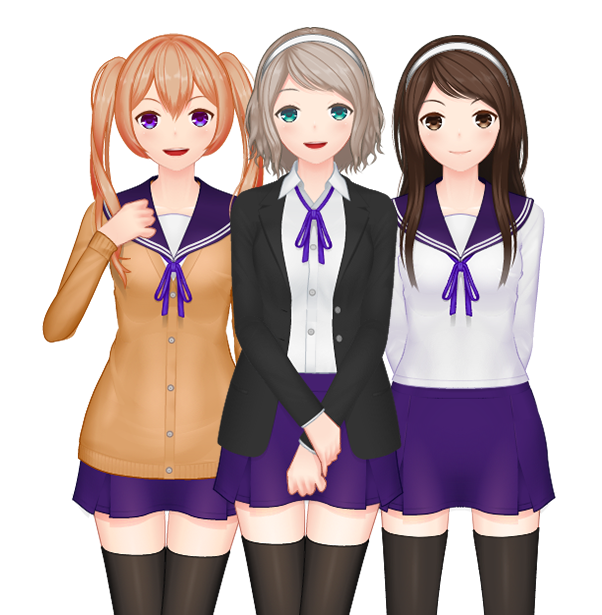
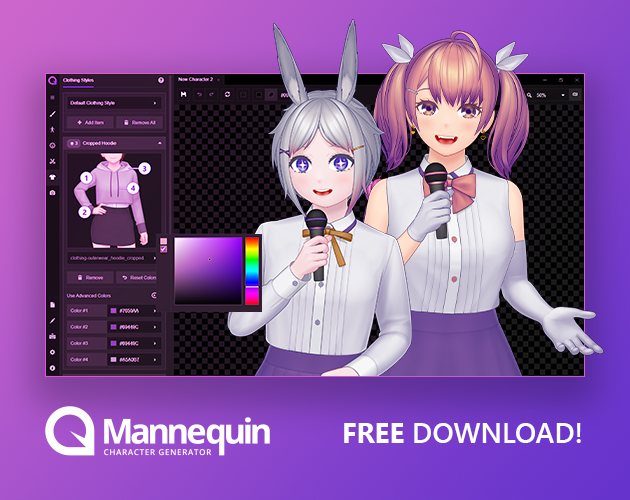

Mannequin is a 3D character creation and animation tool from AR14 for artists, game developers, students, and others who need to build or prepare characters for visual projects. It combines model customization with posing and animation tools, making it useful both for exploring character design and for producing motion previews. Its drag-and-drop workflow is intended to make common customization tasks accessible without requiring extensive 3D experience.
Users can create and customize 3D characters, then adjust their poses to plan a scene or check how a design reads in different positions. The software's animation workflow uses a timeline and keyframes: users set character positions at chosen points, then play the sequence back in real time to review movement. This helps animators and game developers inspect motion before incorporating a character into a larger project. The timeline also provides a practical way to make and revise straightforward sequences without relying solely on static images.
Mannequin includes options for adjusting lighting and textures and applying visual effects, allowing users to refine a character's appearance and presentation. It can also import and export models in multiple file formats, supporting work that moves between Mannequin and other design applications. This makes it possible to use the program as part of a broader modeling workflow rather than keeping every stage in one application. Tutorials and a user community are also available to help users learn the tools and develop their workflow.
Typical uses include designing and dressing characters, preparing poses for illustration or reference, testing character movement, and creating animation previews for game-development projects. Educators and students can use it to explore character modeling and animation concepts, while hobbyists can experiment with character design. Its combination of customization, posing, and keyframe animation is most relevant when a project needs a character to be both visually adjustable and demonstrable in motion.
Mannequin is shareware and is available for 64-bit editions of Windows 7, Windows 8, and Windows 10. The program's stated platform support does not include a specific Windows 11 compatibility claim. Users considering it for a production pipeline should check that its supported model formats fit the applications and assets they already use. The workflow is centered on 3D characters; it is not presented as a general-purpose modeling package for every type of 3D object.