Memtest86+ for Windows for Windows 10 - Full description
Memtest86+ is an open-source diagnostic utility for finding faults in a computer's RAM. Although offered for Windows PCs, it runs outside the installed operating system: the computer boots into the memory tester, which checks system memory directly. This makes it useful to technicians, system builders and PC owners investigating crashes, failed starts, freezes or errors that may be related to memory.
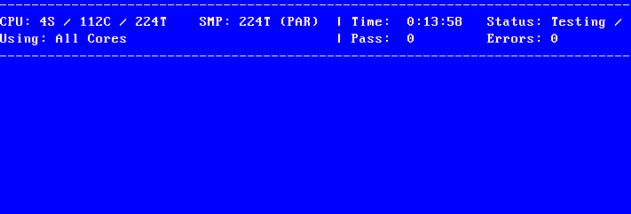
The core function is a series of memory tests that write data to RAM and read it back, looking for mismatches and other signs of instability. The tests run across the available memory rather than depending on Windows or applications to access it. Repeated passes can help expose intermittent problems that do not appear during a brief check. If errors occur, they point to a possible memory or system-level issue, though the test alone does not identify every faulty component or determine whether a particular RAM module is the cause.
Memtest86+ also detects processor and chipset information and can show hardware settings relevant to diagnosis. Depending on the system, displayed details include memory and front-side bus frequencies, memory timings, channel configuration, ECC status and chipset-specific settings. ECC polling is supported on certain hardware. These readings give users additional context when checking whether memory is configured as expected or comparing results across machines.
Because the utility operates independently of Windows, it is suited to troubleshooting a PC that is unstable or cannot remain running long enough for software-based checks. A technician can boot it before installing an operating system, while a home user can run it after changing or adding RAM. The test results can help distinguish suspected memory trouble from issues that arise only under a particular application, although further component testing may be needed to confirm the source of a fault.
Memtest86+ is distributed under the GNU General Public License, with no charge for private or commercial use under its terms. It is not a Windows application that runs in the desktop environment; it must be started through the computer's boot process using suitable boot media. The Windows compatibility shown for this download refers to the supported PC environment, not to an in-Windows testing mode. The utility is intended for x86-based computers and requires access to the machine's boot settings to run.