Windows 10
Windows 10 is Microsoft’s desktop operating system for personal computers, ... workloads depend on appropriate management, software and hardware. Windows 10 updates deliver fixes and refinements without necessarily changing ...

MinTTY is a Windows terminal emulator for Cygwin and related environments such as MSYS. It provides xterm-compatible terminal behavior, a native Windows interface, and a simple options dialog. Users can copy and paste, drag and drop text or files, and Ctrl-click files and URLs. UTF-8, wide characters, Windows IME input, and window transparency are supported. Settings are kept in a text file rather than the registry. It is designed for Cygwin shells, not as a complete replacement for Command Prompt.
| Author: | Andy Koppe |
| License: | Open Source |
| Price: | FREE |
| Released: | Oct 5, 2016 |
| File size: | 819 kB |
| Downloads: | 874 |
| Keywords: | mintty terminal emulator, open-source software, cygwin shell emulator, xterm compatible terminal, terminal emulator, Cygwin emulator, Cygwin terminal, msys terminal emulator, emulator, MinTTY, cygwin terminal, terminal, x64 software, Andy Koppe, Windows 10, Cygwin, windows terminal for cygwin |
| Author URL: | http://code.google.com/p/mintty/ |

MinTTY is a terminal emulator for Cygwin and related environments such as MSYS. It provides a Windows desktop interface for working with command-line shells and tools in those environments, making it useful for developers and users who need a terminal connected to a Cygwin-based setup. Unlike a general-purpose Windows shell, MinTTY is built around Cygwin's pseudo-terminal interface and tools.
The emulator provides xterm-compatible terminal behavior for running shell sessions and command-line applications. Its native Windows interface includes a simple options dialog, while settings are saved in a text file rather than in the Windows registry. UTF-8 and other character encodings are supported, along with wide-character display and Windows Input Method Editor support for entering characters through IMEs.
Everyday terminal interaction includes copying and pasting text, as well as dragging and dropping text, files, and folders into the window. Ctrl-click opens files and URLs, which can make paths and links shown in terminal output easier to follow. Window transparency is available, including a glass effect on supported versions of Windows. The program is small and is designed for quick scrolling through terminal output.
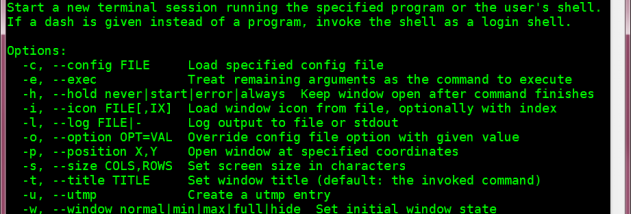
MinTTY is commonly used to access Cygwin shells, run development tools, and work with command-line utilities supplied by Cygwin or MSYS. Cygwin's installer can install it and create a Start menu shortcut; in MSYS, it can be installed through the mingw-get package manager. The package includes a manual page, and command-line help displays available options. These references are useful for adjusting settings and learning terminal keycodes and control sequences.
MinTTY is open-source software and is intended for Cygwin and Cygwin-derived environments on Windows. It is not a full replacement for Command Prompt: native console programs with straightforward text output generally work, but interactive console applications may encounter problems. MinTTY does not include PuTTY's networking features; Cygwin packages such as OpenSSH and inetutils provide those tools separately. It is based in part on code from PuTTY.