Wagnardsoft Stutter Test
Wagnardsoft Stutter Test is a powerful utility designed for Windows 10 ... or multimedia experience. With its user-friendly interface, Stutter Test allows you to run comprehensive tests that simulate ...

Monitor Test Utility is a portable Windows program for inspecting a monitor's display behavior. It provides motion and pattern tests, with pattern screens advanced by on-screen arrows or the Spacebar. The main window also shows monitor details such as resolution, refresh rate, pixel aspect ratio, color count, and screen dimensions. It runs without installation and is freeware.
| Author: | Javad Taheri |
| License: | Freeware |
| Price: | FREE |
| Released: | Oct 4, 2026 |
| File size: | 348 kB |
| Downloads: | 30 |
| Keywords: | Monitor Test Utility free download, display, monitor, monitor capability test, monitor test utility, display abnormality test, display test, monitor display test, screen abnormality test, pattern test, pattern, Monitor Test Utility, monitor motion test, test monitor, display pattern test, motion test, porta, test, download Monitor Test Utility |
| Author URL: | https://github.com/Javad-Taheri/KeyboardTestUtility |
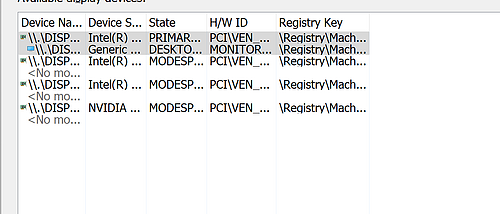

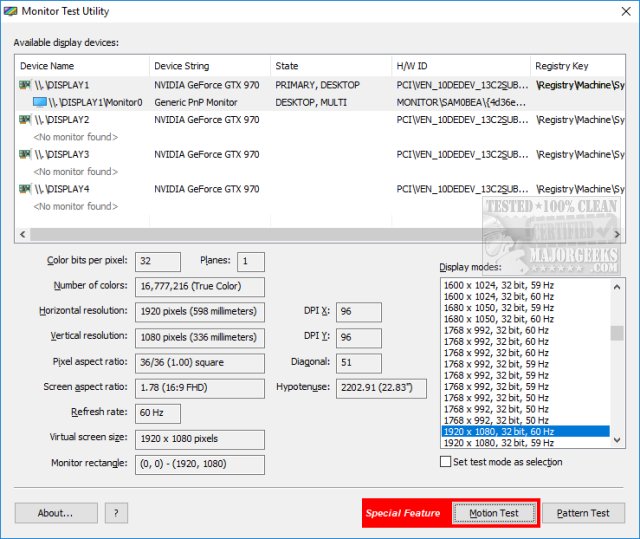

Monitor Test Utility is a small portable application for checking a computer monitor's display behavior. It is intended for people evaluating a newly purchased screen, investigating visible display abnormalities, or simply reviewing a monitor's basic capabilities. The program presents its tests and monitor information in a compact interface, so users can start a check without working through a setup process or complex configuration.
The utility offers two kinds of tests: motion and pattern. A motion test provides a way to observe how the display presents moving objects, while pattern testing shows a sequence of visual patterns for checking the screen's output. Users select the monitor from the device list and start the desired test. Pattern tests can be advanced with on-screen arrows or the Spacebar, making it possible to move through the sequence from the interface or keyboard. These checks help users inspect what appears on screen; the program does not replace a hardware diagnosis or repair service.
The main screen also displays technical details about the selected monitor, including its horizontal and vertical resolution, number of colors, pixel aspect ratio, refresh rate, virtual screen size, and diagonal measurement. This information gives users context while testing and can help them review the display's reported characteristics in one place. The controls and details remain accessible from the same screen, keeping the workflow straightforward for occasional checks as well as repeated visual comparisons.
Because Monitor Test Utility is portable, it can be run directly from its executable without installation. It can also be carried on removable storage, such as a USB flash drive or external hard drive, and used on another compatible computer. The program does not create additional files or folders or modify Windows Registry entries, which suits users who prefer a lightweight utility that leaves no conventional installation behind.
Monitor Test Utility is freeware for Windows. It supports Windows 10 and Windows 11, as well as earlier Windows releases, and is suited to basic visual inspection rather than calibration or in-depth diagnostic work. Its limited set of tests makes it most useful when a user wants a quick way to view patterns, observe motion, and check the monitor information reported by the system.