Mosaizer XV for Windows 10 - Full description
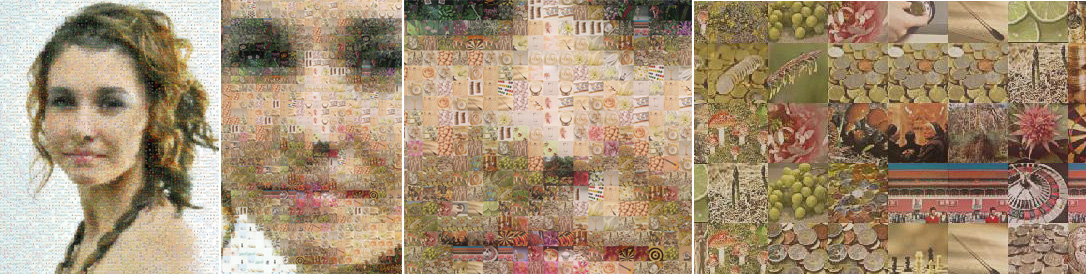
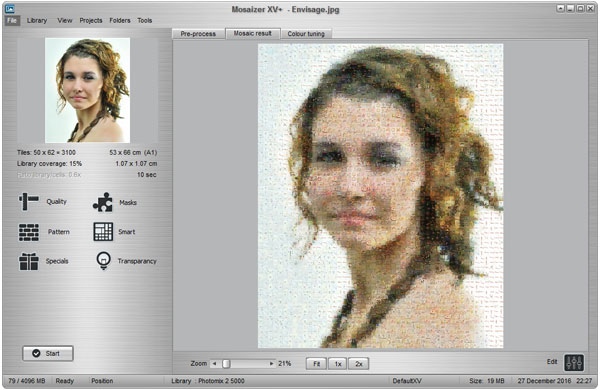
Mosaizer XV is a Windows graphic editor for creating mosaic effects from images. It is suited to people who want to transform a photograph with visual treatments and adjustable image settings, without needing a complex editing workflow. The program accepts BMP, JPEG and PNG files, which can be added to an image list through its browse function. A preview pane lets users inspect the selected image and the developing result while adjusting the effect.
Mosaic size and blending color percentage control the look of the treatment: users can change the scale of the mosaic and how strongly color blending influences the image. For broader image adjustments, Mosaizer XV provides controls for brightness, contrast, saturation and transparency. These settings can be tuned alongside the mosaic parameters to alter the appearance of the final image rather than relying on a single preset.
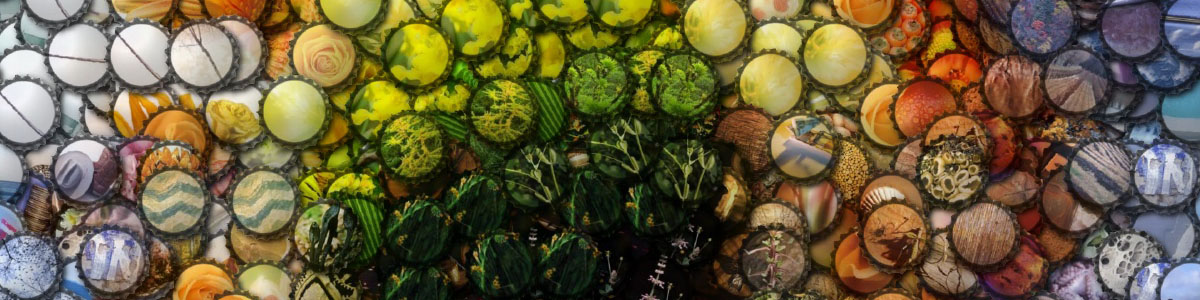
Additional tools include zooming, colorizing and blending effects, plus the option to use a background image. Transparency can be refined with hue, saturation, lightness, tolerance and blur controls. Shadow size and depth are adjustable as well, offering further ways to shape the finished composition. The step-by-step editing approach helps newcomers work through the process, while users who already know what they want can set parameters directly from the main panel.
The workflow centers on loading an image, previewing it, adjusting the mosaic and related effects, then saving the result. Output is supported in BMP, JPEG and PNG, matching the formats that can be imported. This makes the program suitable for experimenting with mosaic treatments, preparing stylized images, or producing edited versions of photographs for other projects.
Mosaizer XV is trialware and is available for Windows 10 and Windows 11, as well as older Windows releases. Its interface and guided workflow make the controls approachable, while direct parameter access accommodates a more hands-on editing style. The available tools focus on mosaic effects and image adjustments rather than a broad set of graphic design functions.