MP3Gain
... for analyzing and adjusting the perceived loudness of MP3 files. It is useful for listeners who find ... estimates how loud a track sounds to the human ear and adjusts the MP3 data directly, without decoding ...

MP3Gain analyzes MP3 files to estimate how loud they sound to the human ear, then adjusts their volume so tracks play at more consistent levels. Unlike peak normalization, it bases changes on perceived loudness. Adjustments are lossless because MP3Gain works directly on the MP3 data without decoding and re-encoding, and they can be undone.
| Author: | Glen Sawyer |
| License: | Freeware |
| Price: | FREE |
| Released: | Sep 24, 2018 |
| File size: | 881 kB |
| Downloads: | 352 |
| Keywords: | balance mp3 volume, MP3 repair, MP3 Gain, mp3 gain utility, MP3 ADJUST, human ear, music volume, mp3 volume normalizer, layer, lossless mp3 volume adjustment, MP3Gain Stable, adjust mp3 loudness, audio volume, open-source software, repair, mp3 tracks, audio normalization, Glen Sawyer, lossless volume adjustment, normalize mp3 tracks, Windows 10 compatible, mp3 player, mp3 |
| Author URL: | http://mp3gain.sourceforge.net/ |

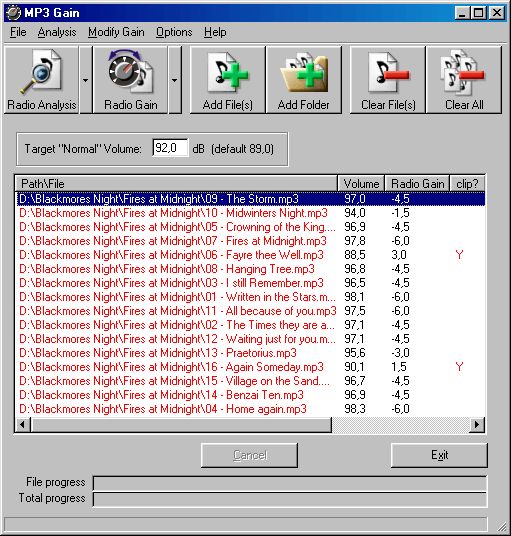


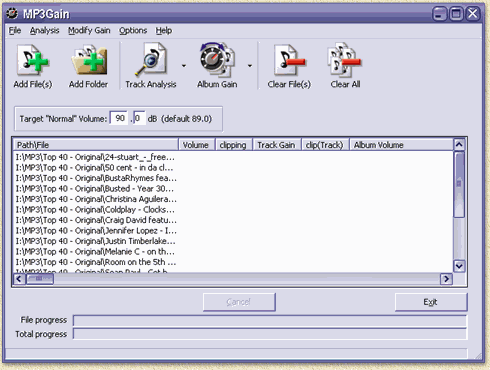

MP3Gain is a free audio utility for listeners who want MP3 tracks to play at more consistent volume. It analyzes how loud each file sounds to the human ear and adjusts playback level, reducing the need to change the volume whenever a playlist moves to another song. Unlike peak normalizers, which base adjustments on the loudest audio peaks, MP3Gain uses statistical analysis to estimate perceived loudness.
The program can analyze MP3 files and apply volume adjustments to individual tracks or groups of tracks. This is useful for preparing a collection or playlist whose songs come from different albums or recording sources. A shared target level helps reduce sudden changes between tracks while retaining the character of each recording; it changes volume rather than trying to make every song sound identical.
MP3Gain works directly on MP3 data instead of decoding and re-encoding the audio. Its adjustments are therefore lossless: they do not introduce the quality loss associated with re-encoding. The program can also reverse its own changes, allowing the original volume settings to be restored if an adjustment does not suit a particular track or listening setup.
Typical uses include balancing a portable-player music library, preparing an MP3 playlist for uninterrupted listening, and making older or unevenly mastered tracks easier to play alongside one another. Because it targets MP3 files, it is intended for users managing MP3 collections rather than a general-purpose audio editor or format converter.
MP3Gain is freeware and is available for Windows, including Windows 10. Its adjustments are made to MP3 files, so users should keep backups when making changes to an important collection. MP3Gain is the classic track-volume utility; it is separate from a similarly named product called MP3Gain PRO, which is not made by Glen Sawyer and uses a different, re-encoding approach.