Top Process Monitor
Top Process Monitor is a lightweight Windows gadget for users who want to see which running ... processor activity, memory consumption, or disk-related work. The gadget can also cycle through the available modes with ...

Network Monitor II is a Windows desktop gadget that displays internet connection status, incoming and outgoing speeds, traffic totals, and bandwidth graphs. It also shows Wi-Fi signal details, internal and external IP addresses, gateway, and DNS information. Users can log IP changes, preserve traffic totals, disable external IP checks for privacy, and set programs or sounds to respond to connection loss and restoration.
| Author: | Igor "Igogo" Bushyn |
| License: | Freeware |
| Price: | FREE |
| Released: | Oct 18, 2026 |
| File size: | 2.70 MB |
| Downloads: | 752 |
| Keywords: | monitor, Igor "Igogo" Bushyn, internet traffic monitor, sidebar, view internal ip address, gadget, network connection alerts, view IP address, internet connectivity, system information display, Network Monitor II, network monitoring, network speed monitor, Windows 10 gadget, monitor network, wifi signal monitor, view external ip address, sidebar gadget |
| Author URL: | https://windows10gadgets.pro/ |


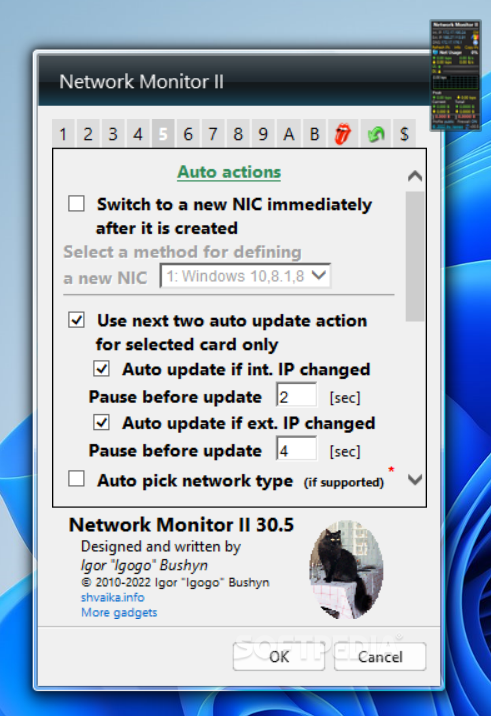
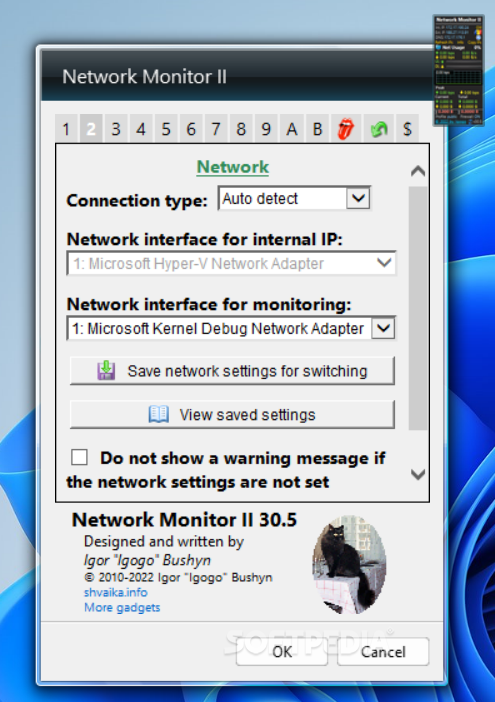

Network Monitor II is a Windows desktop gadget for keeping an eye on internet connectivity and network activity without opening a separate monitoring application. It is suited to users who want connection details visible on the desktop, including people troubleshooting access to a router or hosting a service from a PC. The gadget presents incoming and outgoing transfer speeds, traffic totals, connection status, and network addressing information in one compact interface.
Its traffic display tracks uploads and downloads and includes graphs for viewing bandwidth use over time. A counter can preserve its recorded totals when the gadget closes, so accumulated usage is not necessarily lost between sessions. Wi-Fi information includes the connection level and source, helping users check wireless conditions at a glance. The gadget also shows internal and external IP addresses, alongside gateway and DNS details that can be useful when configuring network equipment or diagnosing a connection.
The external IP display includes a country flag, and hovering over the flag can reveal information about the provider associated with that address. Secure connections are used when retrieving country-flag information. The gadget updates IP addresses after a server restart or a new internet connection, and it can record address changes in a log file. For privacy, checking the external IP can be disabled. These options make it possible to keep a basic record of changing network details without manually checking them each time.
Network Monitor II can run a selected program when the internet connection is lost or restored, and it can play sounds for network-related events. These alerts are useful for noticing interruptions while working elsewhere on the desktop, or for triggering another tool in response to a connection change. Together with live speeds, traffic graphs, and address details, the event options cover both routine monitoring and basic connectivity troubleshooting.
The software is freeware and is built as a Windows sidebar gadget. Its stated compatibility covers Windows Vista, Windows 7, Windows 8, and Windows 10, including their listed 64-bit editions; Windows 11 support is not established here. Since it is a desktop gadget rather than a standalone monitoring suite, its role is quick access to common connection statistics and actions, not advanced network analysis.