Pencil for Windows 10 - Full description
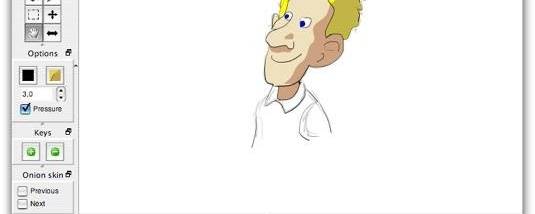
Pencil is a free, open-source 2D animation and drawing program for people making traditional, hand-drawn cartoons. It combines bitmap and vector graphics in a frame-based workflow, letting an animator sketch individual poses and build them into a sequence. Its focus is straightforward 2D animation rather than web-oriented motion graphics or a full professional production suite.
The timeline is where frames are arranged and timed. Users can create, move, shift or delete keyframes, adjust the timeline's length and zoom, then scrub through the sequence to check how drawings connect. Playback runs in real time, with adjustable frame rate and looping, making it practical to review motion repeatedly while refining the timing. Onion skinning displays neighboring frames as a guide, helping keep successive poses aligned and movement consistent.
For drawing, Pencil provides basic tools to sketch, erase, choose color and line width, or clear the current screen. A static background layer separates scenery from the changing animation, while image import allows external artwork to be brought into a project. Copy, paste, undo and redo support everyday revisions, and keyboard shortcuts provide access to common operations. Basic sound playback can be used while checking the timing of a sequence against audio.
Projects can be saved and reopened for continued work. Finished frames can be exported as an image sequence, and Pencil also supports X-sheet export for reviewing or sharing frame and timing information. These options suit short cartoon tests, drawn animation exercises, simple 2D scenes and planning work where individual frames need to be inspected or used in another workflow. The timeline and onion-skin tools are especially useful for iterating on poses without losing track of how each drawing relates to the next.
Pencil is open-source software available for Windows, macOS and Linux. It is intended as an approachable tool for traditional 2D animation, rather than a replacement for specialized commercial production systems. The Windows release supports drawing, timeline playback and frame export; movie-export availability can vary by platform, so image-sequence export is the dependable option for a Windows workflow.