PhotoFilmStrip for Windows 10 - Full description
PhotoFilmStrip turns a collection of still photographs into a video slideshow. It is suited to people who want to make a moving photo presentation without editing footage or building a complex timeline. The workflow centers on choosing images, defining how the view moves across them, and rendering the result as a video.
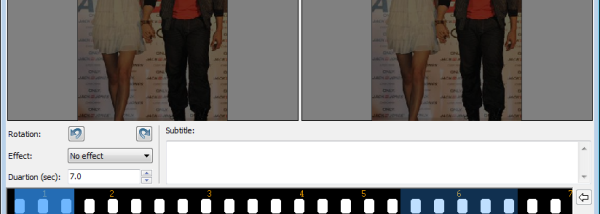
For each photo, the user can set a motion path by choosing the framing at the beginning and end of its display. PhotoFilmStrip animates the change between those positions, creating pans and zooms that bring movement to otherwise static images. This makes it possible to emphasize a subject, move across a wide scene, or reveal more of a photograph over time. Arranging the selected pictures establishes the slideshow sequence before rendering.
The program offers output options for several video formats and resolutions, from VCD and SVCD through DVD to Full HD. These presets make it easier to prepare a movie for different playback and sharing needs. Once the image order and motion paths are ready, the rendering step produces a video file rather than requiring viewers to open the original photo collection in the application.
PhotoFilmStrip can be used for family slideshows, travel presentations, event recaps, or simple visual projects made from still images. Its focus on image selection and animated framing keeps the process centered on photographs, rather than on the detailed editing of recorded video. Users can adjust the motion for individual pictures to give a sequence a more deliberate pace and visual emphasis.
PhotoFilmStrip is open-source software and is available for Windows, including Windows 10. The project is written in Python, and the Windows download is a separate build from the Linux source package. The supplied operating-system information does not establish Windows 11 compatibility. Output dimensions and format should be chosen according to the intended playback device or distribution method.