Portable PhotoFiltre
Portable PhotoFiltre is an image-editing program for users who need ... small graphics tasks. The portable edition provides the PhotoFiltre editing environment in a format intended for portable ...

PhotoFiltre is a freeware image editor for correcting, retouching and enhancing pictures. It includes more than 100 filters, from brightness, contrast and saturation adjustments to artistic effects such as watercolor and pointillism. Drawing tools, reusable selections and grayscale masks support more targeted edits, while text effects and image blending help create simple compositions. Batch automation handles conversions, resizing and framing across groups of images.
| Author: | Antonio Da Cruz |
| License: | Freeware |
| Price: | FREE |
| Released: | May 21, 2024 |
| File size: | 30.00 MB |
| Downloads: | 297 |
| Keywords: | photo filtere, graphic design software, x64 architecture, photo, Antonio Da Cruz, photo filters, photofiltre studio, PhotoFiltre, photofiltre, filter studio, editor, freeware, batch image editor, photoshop, adobe photoshop, free adobe photoshop, Windows 10 compatible, image masking software, photo filter, adobe photoshop 7.0, image editing, free photo editor, photo program, Photo Filtre, image retouching program, photo editing software |
| Author URL: | https://www.photofiltre-studio.com/ |


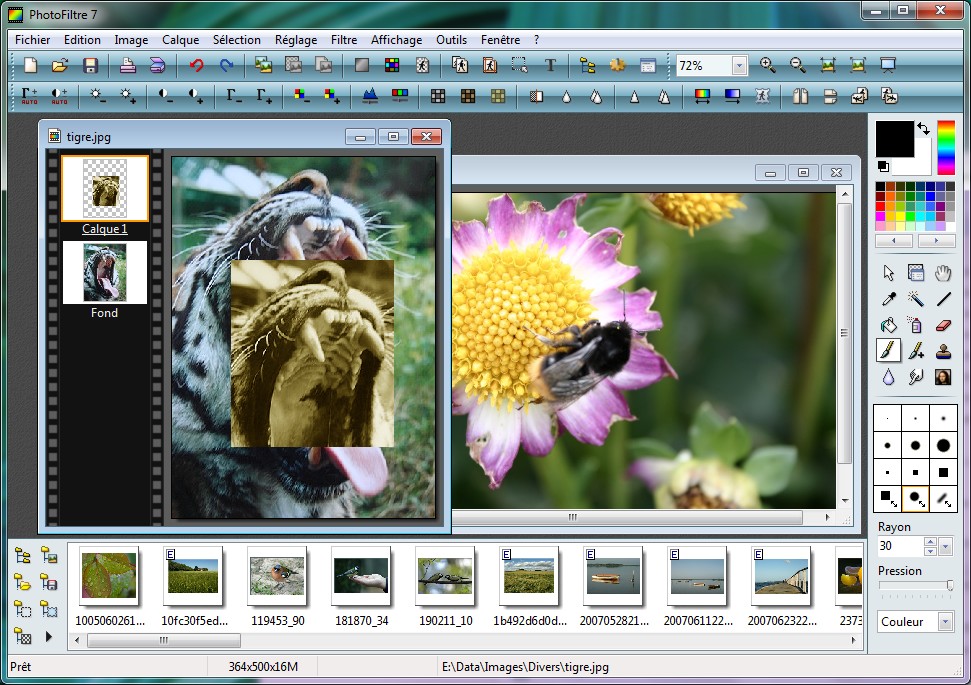
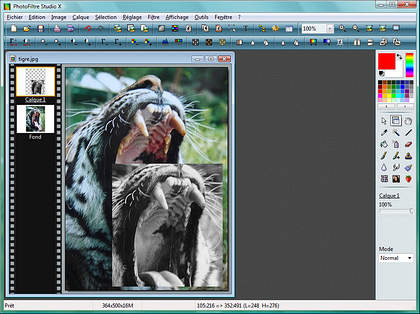

PhotoFiltre is a freeware image editor for people who need to correct, retouch and add effects to pictures without relying on a complex professional workflow. Its toolbar places common tools and filters within quick reach, while a broad set of adjustment and artistic effects gives beginners room to explore more creative edits. The program supports both straightforward image changes and more involved selections, masking and compositing tasks.
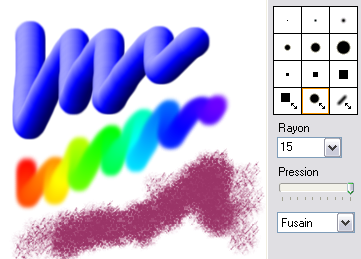
More than 100 filters cover practical corrections such as brightness, contrast, color, saturation and gamma, as well as artistic treatments including watercolor, pastel, ink, pointillism and puzzle effects. Drawing and retouching tools include a pipette, fill bucket, brushes, aerosol, blur, cloning stamp, smudge and magic wand. Standard round and square brushes are joined by shaped tips such as stars and leaves. These tools help with tasks such as removing small imperfections, applying color, softening details or painting specific areas.
Selections can be made with automatic shapes such as rectangles, ellipses, triangles and rounded rectangles, or drawn with the lasso and polygon tools. Their outlines can be customized and saved for reuse, which is useful when repeating edits on the same subject or region. The PhotoMasque module applies grayscale masks to control transparency and edge effects: lighter areas remain transparent, while darker areas become increasingly opaque. Users can work from included masks or create their own. Text can also be enhanced with effects such as rotation, shading and beveling, and images can be combined through blending and assembly tools.
For routine work across multiple pictures, the automation module applies basic operations such as format conversion, resizing and framing to a group of images. An image browser helps locate files, and plug-in management extends the available functions. PhotoFiltre can acquire images from TWAIN-compatible devices, including scanners and webcams. It also supports transparency for GIF images and can export images as icons in several color depths. These features suit everyday photo correction, preparing graphics for documents or websites, creating simple compositions, and processing batches of images with consistent changes.
PhotoFiltre is freeware and is available for Windows 10 and Windows 11; the provided system information also lists earlier 64-bit Windows releases. Its range of controls makes it useful for casual editing and more precise retouching, while the selection, mask and automation tools support repeatable workflows. The program's focus is on image editing and effects rather than a broader suite of media or publishing tools.