PhotoScape X
Welcome to the official website for PhotoScape X, the ultimate photo editing software for Windows ... editing needs. With its sleek and intuitive interface, PhotoScape X offers a seamless experience, allowing both beginners ...

PhotoScape is a freeware photo editor and image utility suite for everyday corrections, simple layouts and print preparation. It adjusts size, brightness, color and white balance, crops images, removes red eye and applies filters, frames, text and mosaic effects. Batch tools edit or rename groups of photos, while Page and Combine create collages from multiple images. It also supports slideshows, animated GIFs, screenshots, RAW-to-JPG conversion and photo printing.
| Author: | Mooii |
| License: | Freeware |
| Price: | FREE |
| Released: | Sep 11, 2014 |
| File size: | 20.10 MB |
| Downloads: | 946 |
| Keywords: | Free, Image enhancement, photo collage maker, Editing, User-friendly interface, Free software, Editor, Photo, GIF, Photo editing, passport photo printing, RAW, whitebalance, raw to jpg converter, animated gif creator, free photo editor, batch photo editing, Print, Mooii developer, Software, Windows 10 compatible |
| Author URL: | http://www.photoscape.org |

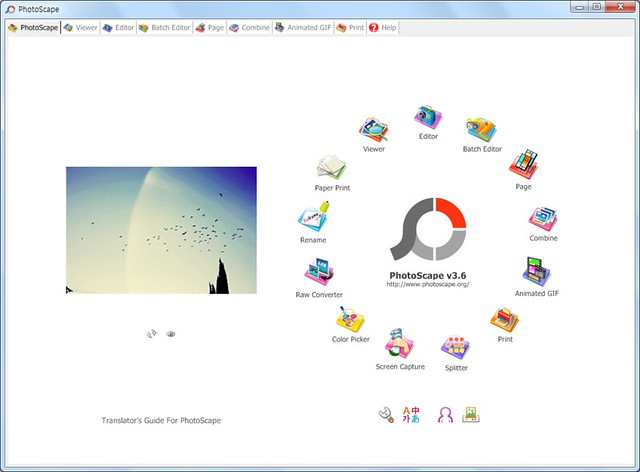
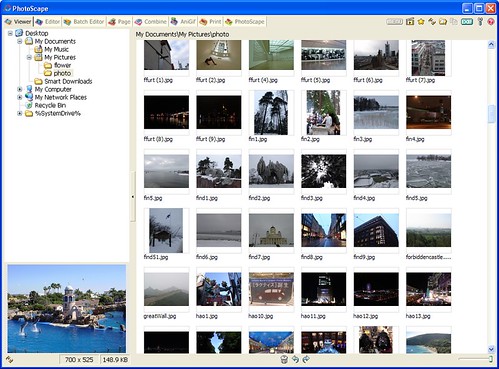
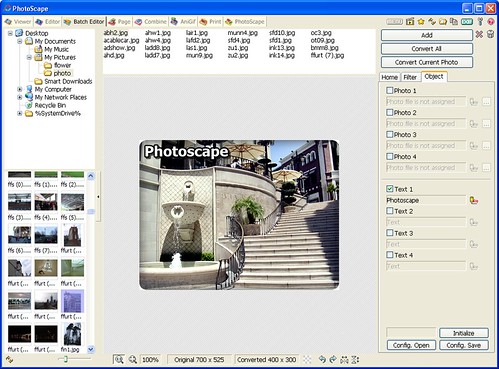
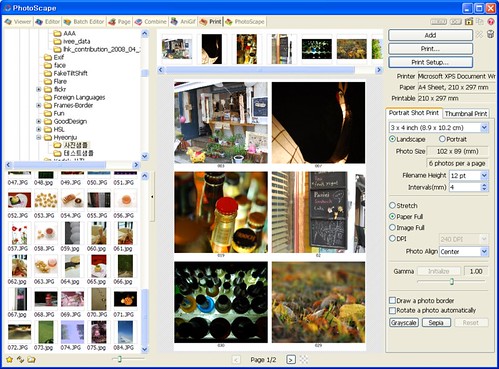


PhotoScape is a photo editor and utility suite for people who want to make everyday image adjustments, organize files and prepare pictures for sharing or printing. Its tools are arranged by task, from browsing a folder and creating a slideshow to editing individual photos or combining several images into a new layout.
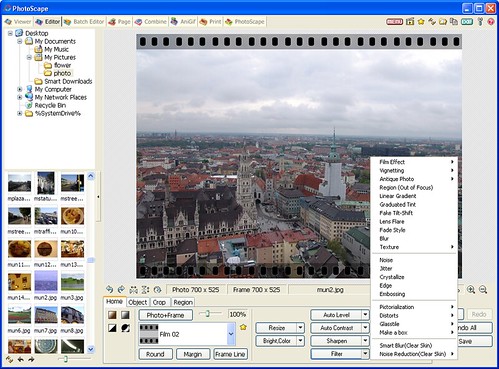
The editor handles common corrections such as resizing, cropping, brightness and color adjustment, white balance and backlight correction. It can also remove red eye, apply filters and blooming effects, add frames, text, balloons or drawn marks, and use a mosaic effect to obscure parts of an image. Batch editing applies changes to multiple photos, while batch renaming helps give groups of files consistent names.
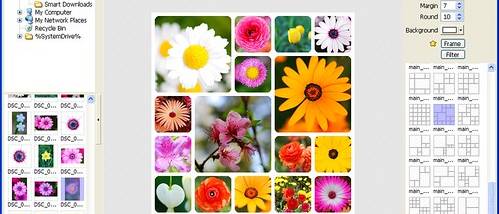
For layouts and creative projects, Page places several photos within a frame to create one image, and Combine joins images vertically or horizontally. The animated GIF tool turns a sequence of photos into an animation, while Splitter divides an image into several pieces. A viewer browses photos by folder and can run slideshows; screen capture saves screenshots, and the color picker magnifies an image to help identify a particular color.
PhotoScape also includes tools for print preparation and format conversion. It can arrange portrait, passport and carte de visite photos for printing, and create lined, graph, music or calendar paper. Its RAW converter converts RAW files to JPG, giving photographers a way to produce a more widely usable image file. Face Search looks for similar faces on the Internet.
The program is freeware and is intended for Windows, including Windows 10. Its broad collection of small, task-focused tools suits casual photo touch-ups, batch work, simple compositions, animated images, screenshot capture and basic print projects. The interface and feature set focus on practical editing and image handling rather than a single advanced retouching workflow.