Pidgin for Windows 10 - Full description
Pidgin is an open-source instant messaging client for people who use accounts on different chat networks and want to manage them in one desktop application. Instead of opening a separate client for each service, users can add multiple accounts and communicate across supported networks from Pidgin. Its interface brings contacts and conversations together, while each account continues to connect through its own network.
The client supports a range of messaging protocols, including IRC, Jabber/XMPP, Bonjour, AIM, ICQ, Google Talk, Yahoo!, MSN Messenger, Gadu-Gadu, QQ, Novell GroupWise Messenger, Lotus Sametime, SILC, SIMPLE, MySpaceIM and Zephyr. Available protocols depend on the services themselves, and plugins can add support for additional networks or capabilities. This makes Pidgin useful for people who need to keep contacts from different services accessible without switching between multiple applications.
Pidgin handles common chat features where the connected protocol supports them. Users can exchange files, set away messages, display buddy icons, use custom smilies and see typing notifications. These features may differ between networks, so a capability available for one account is not necessarily available for another. Plugins can extend the client beyond its standard functions, allowing users to tailor it to their preferred setup.
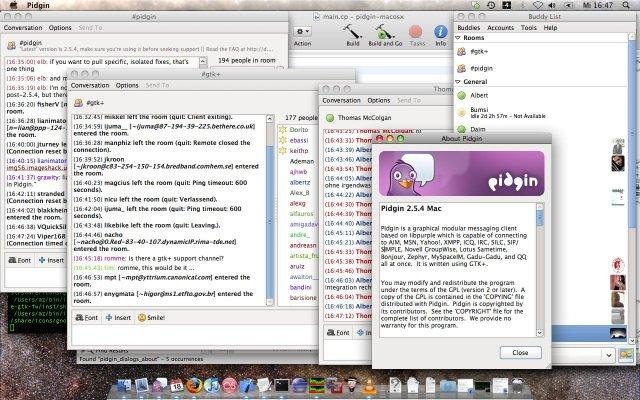
Contacts from connected accounts are managed in a shared buddy list, and conversations can be opened within the same application. Pidgin also integrates with the Windows system tray, making it possible to keep the client running while its main window is out of view. The combined workflow suits people who maintain several chat identities, participate in IRC, or need to stay reachable on older or specialist messaging networks.
Pidgin is free, contains no advertising and is released under the GNU General Public License. Its open-source code can be modified and redistributed under the terms of that license. The Windows edition is available for Windows 10 and Windows 11, as well as several earlier Windows releases. Network availability and individual features depend on the relevant service and protocol; plugins may be needed for some additional functions.