Portable WildBit Viewer for Windows 10 - Full description
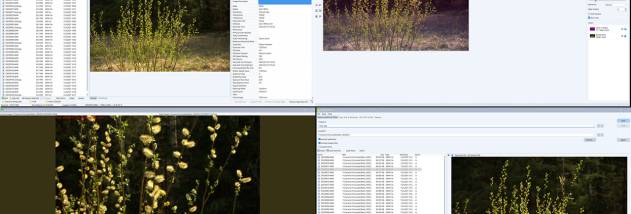
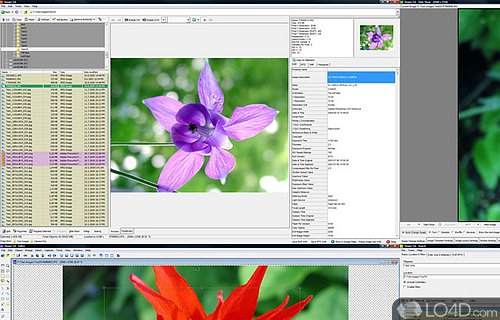
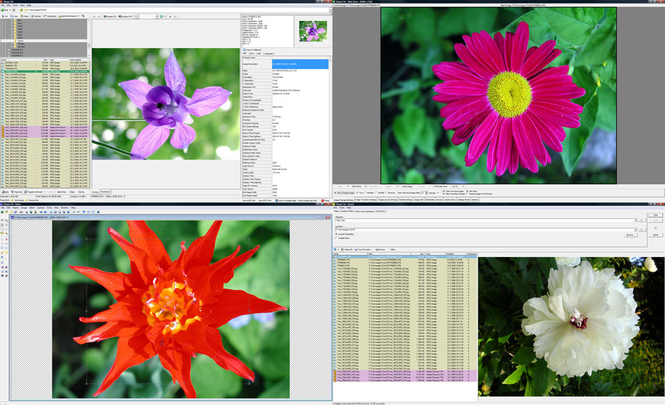
Portable WildBit Viewer is an image-browsing and management program for Windows users who want to inspect picture files, browse collections, create slideshows, and make basic edits. Its thumbnail browser helps scan folders visually, while the main viewer opens images for closer inspection. The portable edition is suited to users who prefer a version that can be carried between compatible Windows computers. It can serve everyday photo browsing as well as workflows where image details and file organization matter.
The thumbnail viewer provides a visual way to browse image collections and find a particular picture without opening files one by one. Search and filtering tools can narrow a collection using criteria such as file name, date, or metadata tags, which is useful when a folder contains many images. Once a file is selected, the viewer displays it, and a metadata panel can be used to examine embedded EXIF, IPTC, and XMP information. Photographers can consult those fields to review details recorded with an image, while other users can use them to identify and sort files.
For basic image changes, the included editor provides cropping, resizing, and color correction. These tools are intended for straightforward adjustments within the same application, rather than replacing a dedicated professional image-editing suite. Slideshow controls let users assemble images for automatic playback, choose transition effects, and add background music. This can help turn a folder of photos into a presentation or a hands-free viewing session. Interface themes and layouts offer ways to adapt the workspace, and multiple language support makes the program usable in different language environments.
WildBit Viewer can be used to browse personal photo folders, locate images in larger collections, check embedded metadata, prepare simple slideshows, and make quick edits before sharing or organizing files. Its combination of viewer, thumbnail browser, search, metadata inspection, editor, and slideshow functions keeps common image tasks together. The program is freeware and is developed by Marko Hietanen. The portable edition is available for Windows 10 and Windows 11, including 32-bit and 64-bit Windows 10 systems. Its download size is approximately 67 MB.