Pixel Art
... deliver a seamless user experience. It's compatible with Windows 10, ensuring smooth operation and optimal performance. Dive into the captivating world of pixel art with Pixel ...

Skyscraper is an open-source 3D building simulator for students of architecture and construction, and for anyone curious about building systems. It offers 25 models to explore, with features such as basements, multiple doors and elevators. A control panel reports camera and elevator details, while configurable settings let users change simulation behavior and inspect objects throughout a building.
| Author: | Ryan Thoryk |
| License: | Open Source |
| Price: | FREE |
| Released: | Oct 3, 2026 |
| File size: | 159.00 MB |
| Downloads: | 255 |
| Keywords: | Windows 10, elevator simulation software, skyscraper model, architecture education software, Skyscraper, 3d architecture models, building model explorer, 3d building simulator, building simulation, 3D design, simulate skyscraper, skyscrapersim.net, skyscraper, Ryan Thoryk, x64 software, model, skyscraper simulation |
| Author URL: | https://www.skyscrapersim.net/ |


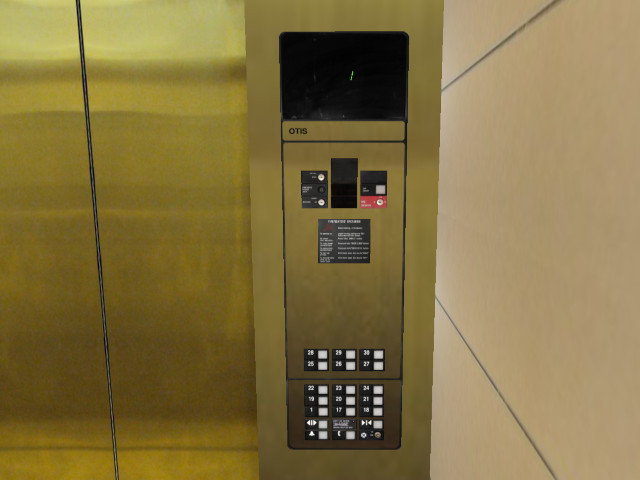

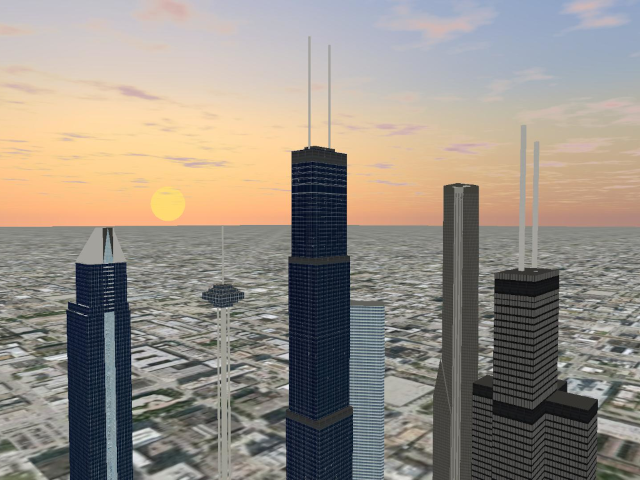
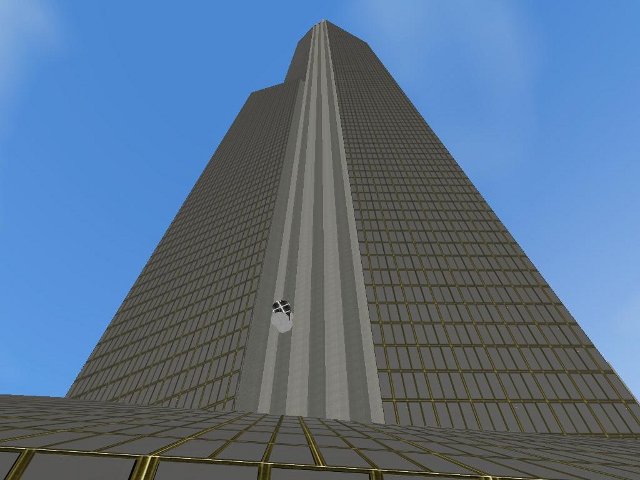

Skyscraper is an open-source 3D building simulator for exploring how buildings are arranged and how their systems operate. It is aimed primarily at students of architecture and construction, as well as people interested in building design and elevator simulation. Rather than serving as a general-purpose drafting tool, it lets users move through a simulated building and inspect its spaces, components and technical status.
The program includes 25 building models, ranging from simpler examples to named structures such as Eternity Plaza, Observation Tower, Palace Hotel and Sears Tower. Users can load a model and explore it in a 3D environment, with features that vary by building. Models can include basements, multiple doors and glass elevators; one listed example extends to 500 floors. This range makes it possible to compare different layouts and to examine how vertical circulation changes in larger structures.
A simulator control panel reports information about the current session, including the camera's floor, position and rotation, the number of elevators, the selected position and the frame rate. Camera controls can be configured for navigating the model, while elevator settings can be edited to examine or adjust elevator behavior. Users can also review simulator statistics, inspect object information and open a script console. A separate Command Prompt window displays logging details while the building appears in the main window.
Simulation options allow users to change how the environment behaves. Collision detection, gravity, elevator processing, automatic shafts and automatic stairs can be disabled, among other settings. Altitudes can be viewed, and objects can be enabled or disabled in real time across the whole building, on individual floors or in groups. These controls support practical exploration of building components and system behavior, while letting users simplify the simulation when focusing on a particular feature.
Skyscraper is free and open source. It supports Windows 11 and Windows 10 in 32-bit and 64-bit editions, Windows 8 in 32-bit and 64-bit editions, and 64-bit Windows 7. Loading a 3D environment can take some time, and the application has no built-in help file, so users may need to learn its controls through experimentation. Its focus is architectural exploration and simulation rather than producing construction documents or finished visual presentations.