SnapaShot Pro Portable
SnapaShot Pro Portable is a compact screen-capture utility for saving ... a screenshot, the user positions and resizes the SnapaShot window over the desired content, then presses Save. ...

SnapaShot Pro captures a user-selected part of the screen by turning its resizable window into a selection frame. It saves screenshots in five graphic formats and adds quality controls, brightness and contrast adjustment, markup tools and printing. Users can annotate captures with text, arrows, lines, borders, frames and images, then save them for sharing or reference.
| Author: | Nicekit Software |
| License: | Trialware |
| Price: | $24.95 |
| Released: | Dec 28, 2022 |
| File size: | 819 kB |
| Downloads: | 268 |
| Keywords: | Windows 10 compatible, screenshot, SnapaShot Pro, image editing, make screenshot, grabber, capture desktop, save desktop screenshots, capture selected screen area, Nicekit Software, adjust screenshot brightness, capture, screen capture, screenshot annotation software, screen capture tool, print screenshots, screenshot tool |
| Author URL: | https://nicekit.com/ |
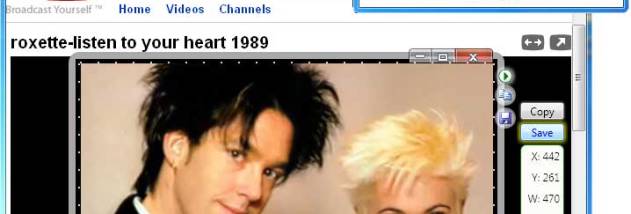

SnapaShot Pro is a lightweight screen-capture utility for users who need to save a selected part of the desktop rather than capture and edit a full screen in a separate graphics program. Its capture area is defined by resizing the application window: position and size the window over the content to be saved, then use the Save command to create the snapshot. This direct approach suits quick captures of webpages, photos, video frames and other visible on-screen material.
The window itself acts as the selection frame, so the captured region can be adjusted visually before saving. This is useful when a screenshot needs to include a particular image, section of a page or detail in an application without extra cropping afterward. SnapaShot saves captures in five graphic formats, giving users a choice of output format for different sharing or file-handling needs. The Pro edition also provides control over screenshot quality, which can help balance image appearance and file size when preparing captures for later use.
Basic image adjustments and markup are built into the program. Brightness and contrast controls let users refine a capture when the source appears too dark, light or flat. For explanation or emphasis, users can add borders, frames, lines, arrows, images and text to the screenshot. Shapes can also use visual effects, allowing annotations to stand out from the captured content. These tools make the application useful not only for saving a visual reference, but also for preparing an image that communicates a specific point.
Completed screenshots can be printed directly from SnapaShot Pro, which is convenient for paper records, instructions or review materials. Captures can also be saved for use in documents, messages and other workflows. By combining region selection, image adjustments, annotation and output in one small utility, the program covers common screenshot tasks without requiring a full image editor. It can be used for documenting a software issue, marking up a webpage, saving a still from online video or sharing a focused visual explanation.
SnapaShot Pro is trialware and is intended for Windows, including Windows 10 and Windows 11. The program is presented as a portable, single-file utility that can be used without installation, making it suitable for keeping with other portable tools. Its straightforward capture method is geared toward quick manual screenshots; the described features focus on selecting, refining, annotating, saving and printing images rather than automated capture or screen recording.