SparkBooth for Windows 10 - Full description
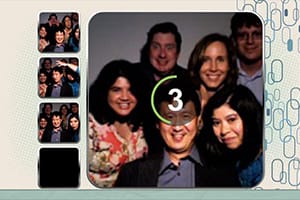
SparkBooth turns a Windows computer into a photo booth for parties, events and casual use at home. It is designed for hosts who want guests to take pictures themselves, as well as operators assembling a booth with a camera, printer and other photo equipment. A curtain backdrop gives the on-screen experience a familiar booth look, while configurable controls let the setup suit the event and its participants.
The program can run a photo booth or create animated GIFs from a sequence of captured images. Guests can pose for several frames and turn them into a short looping animation, or take individual photos. A saved album keeps newly captured pictures together, making it easier to revisit the session after the booth has been used. Photo effects can change the appearance of captures, while messages and display options help shape what participants see during the process.
Controls for countdowns and keyboard shortcuts help manage how a session starts and proceeds. Sound settings let an operator adjust the booth's audio, and general configuration provides a way to tailor the experience before guests begin taking pictures. These options are useful when setting up a booth for a particular room, event or audience, where the pace, prompts and presentation may need to differ.
SparkBooth can be used as a simple entertainment app with a webcam or as part of a more involved event setup with photography equipment and a printer. At weddings, celebrations and other gatherings, it gives guests a self-service way to capture group poses and amusing moments. The GIF mode adds an alternative to standard still photos, while the album provides a record of the session.
SparkBooth is commercial demo software from John Wu. It supports Windows 10 and Windows 11, as well as earlier Windows releases. The camera, printer and other equipment used with it are separate from the application, so a complete physical booth depends on the hardware available to the operator.