Sprint-Layout for Windows 10 - Full description
Sprint-Layout is a printed circuit board design program for electronics hobbyists, makers and engineers who need to create or edit PCB layouts. Its focused interface keeps drawing tools and design parameters close at hand, helping users work on board geometry without the complexity of a broader electronic design suite.
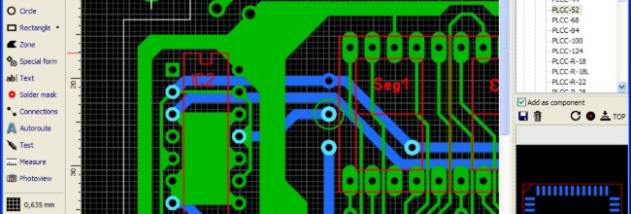
The drawing tools create pads, tracks, copper areas and labels. Users select the relevant mode, place elements on the board and adjust settings such as track width or pad size, with parameters visible for quick editing. Grid snapping helps align components and conductors precisely. Changes to an element, such as widening a track, appear directly in the layout so their effect can be checked in context.
An integrated component library provides commonly used parts as a starting point for board designs. Existing elements can be copied, moved, rotated or mirrored, making it easier to arrange and revise a layout. These editing tools also support iterative work: designers can reposition parts, refine connections and adjust dimensions without redrawing the board from scratch. Older Sprint-Layout files can be opened and edited, which is useful when maintaining previous projects.
For home fabrication, Sprint-Layout provides configurable printing options for transferring a design to a board. Designs intended for professional production can be exported in Gerber and Excellon formats accepted by many PCB manufacturers. HPGL export is available for isolation milling, offering another route from a finished layout to a physical board.
Sprint-Layout is a Windows PCB layout editor distributed as demo software. It is intended for designing and optimizing board layouts rather than serving as a full circuit simulation or schematic design environment. Its combination of direct drawing, component-library access, editing tools and manufacturing exports suits users preparing boards for hand production, milling or external fabrication.