WinStars
WinStars is planetarium software by Franck Richard for exploring the sky and ... VR option depends on compatible equipment; the standard planetarium features provide a way to explore the sky ...

Stellarium is an open-source planetarium that renders a realistic, real-time view of the sky on a Windows computer. Users can search for stars, planets and other celestial objects, zoom and pan, inspect object information, and change the time or location to see how the sky shifts. It can also simulate astronomical events, support telescope control through compatible equipment, and present sky views for educational use.
| Author: | Fabien Chereau |
| License: | Open Source |
| Price: | FREE |
| Released: | Sep 29, 2026 |
| File size: | 439.00 MB |
| Downloads: | 2221 |
| Keywords: | night sky simulation, constellation viewer, astronomy software, celestial mapping, free planetarium software, planetarium software, free planetarium, free planetarium tools, Stellarium software, planetarium tools, free planetarium program, planetarium, planetarium program, star map software, interactive star chart, astronomy visualization, virtual planetarium, open-source planetarium, night sky simulator |
| Author URL: | https://stellarium.org/ |
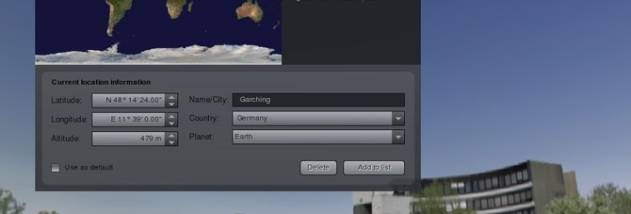

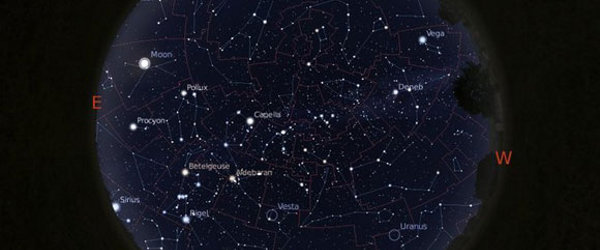
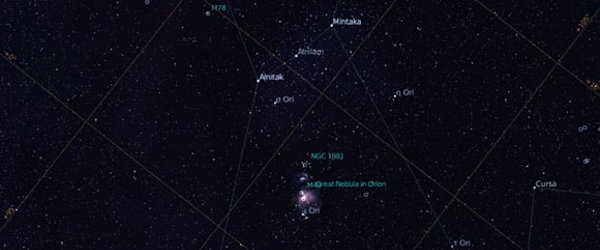
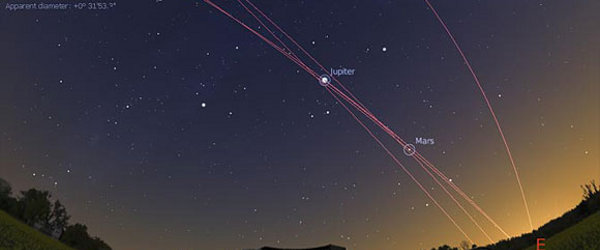



Stellarium is an open-source planetarium program that turns a Windows computer into a window on the sky. It is useful for casual stargazing, astronomy study and planning observations, as well as for educators who want to demonstrate how celestial objects appear and move. Its sky view is rendered in real time and can show stars, planets, moons, constellations and deep-sky objects, with visual effects such as the Milky Way and atmospheric appearance helping give the display context.
Users can pan across the sky, zoom in on an area and search for a named celestial object. Selecting an object brings up information about it, while the time and location controls show how the view changes from different places and at different times. This makes it possible to identify what is visible on a particular night, follow the apparent movement of planets and stars, and preview events such as eclipses, meteor showers and planetary transits. Constellation lines and labels help newcomers connect the star patterns on screen with what they see outdoors.
The program also supports more specialized observation and presentation workflows. Telescope control can help users locate and track objects with compatible equipment, and plugins can extend Stellarium with additional capabilities or data. Its scripting tools allow repeatable demonstrations and custom sky presentations. A dome projection mode is available for planetarium-style displays, making the software useful beyond a single desktop view. These options can be explored as needed, while the basic navigation and search tools remain suitable for quick reference.
For an observing session, Stellarium can be used to preview the night sky, find a target and understand its position before taking equipment outside. In a classroom, an instructor can change the date and location to explain seasons, apparent motion or the timing of an astronomical event. Anyone curious about a bright object overhead can use the search and information panels to identify it and explore its place in the sky. The simulated view is a guide to celestial positions and appearances, rather than a substitute for local observing conditions or specialist scientific analysis.
Stellarium is free and open source. It is available for Windows 10 and Windows 11, and also supports earlier Windows releases. The Windows edition is offered in 32-bit and 64-bit builds where supported by the operating system. Its broad range of visual, educational and telescope-oriented features makes it suitable for both first-time skywatchers and users who want more control over how the sky is displayed.