TikDown for Windows 10 - Full description
TikDown is a desktop utility for saving TikTok videos to a Windows computer. It is intended for people who want local copies of clips for offline viewing, personal collections or sharing outside the app. Alongside downloading, it removes the TikTok watermark from saved videos, so the result is a version without the platform's visible branding. The program focuses on these core tasks rather than offering a broad set of video-editing tools.
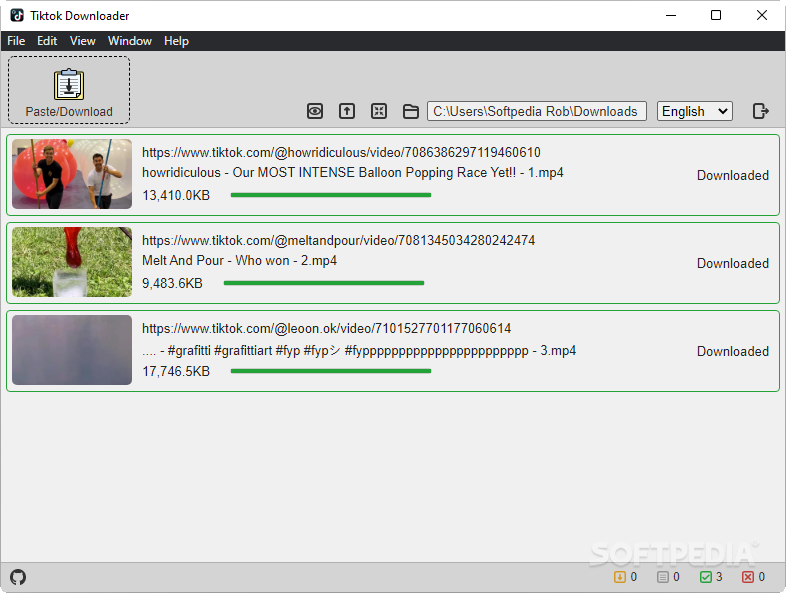
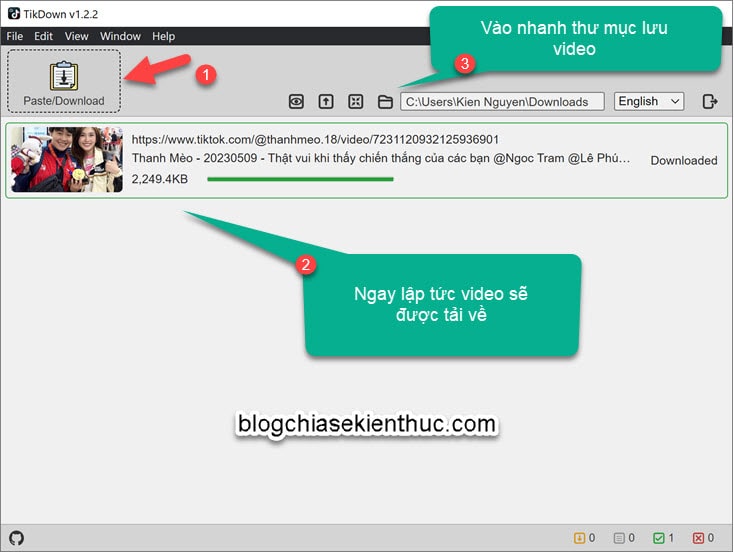
TikDown can download videos even when the creator has disabled downloads in TikTok's own app. Add clips to the download queue and let the program retrieve them to the computer; multiple videos can be queued, which is useful when saving several clips in one session. The queue also provides a simple way to manage a batch rather than handling each video as a separate operation. Once downloads finish, the program indicates that the work is complete.
Watermark removal is integrated into the download workflow. TikDown processes the video so the saved copy does not show the TikTok watermark, avoiding the need to run a separate watermark-removal application. Its Mini Window mode reduces the interface to a compact view while downloads continue, leaving more screen space available for other tasks. The compact view retains access to the download queue and completion status, making it practical to keep an eye on a batch without keeping a full-sized window open.
The utility is suited to collecting clips for offline playback, organizing favorite videos locally or preparing copies for personal use. Batch queuing is particularly helpful when gathering multiple videos, while watermark-free output can be useful when the platform's moving watermark is unwanted in a local copy. Downloading and reusing videos should still respect the creator's rights and applicable platform terms; removing a watermark does not grant permission to republish someone else's work.
TikDown is open-source software available at no cost. It supports 64-bit editions of Windows 10 and Windows 11. Its purpose is narrow and straightforward: download TikTok videos, remove their watermark and manage multiple downloads in a compact desktop interface. Users looking for a general-purpose video downloader or editing suite will need other software for those broader tasks.