Tkabber for Windows 10 - Full description
Tkabber is a free, open-source instant messaging client for the Jabber/XMPP network. It provides a desktop interface for exchanging messages and presence information, managing contacts and joining group conversations. Its Tcl/Tk foundation makes it suitable for users who value a configurable client, and its script-based design also allows technically minded users to change or extend parts of the application.
The client supports direct messaging, headline messages and group chats using Jabber conferencing protocols. Chat tools include nick and command completion, clickable hyperlinks, emoticons and message-event handling. Users can transfer files through several supported transports, while privacy rules provide control over messaging interactions. Optional extensions add support for encrypted or signed messages; these capabilities depend on installing the relevant extensions rather than being built into every setup.
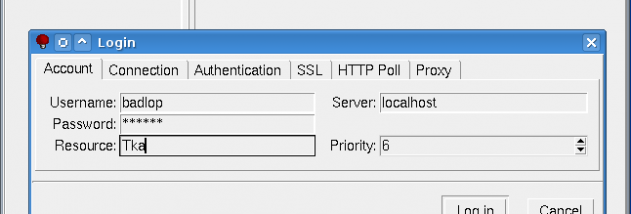
Tkabber handles account connections through TCP or HTTP polling and supports XMPP service discovery using SRV and TXT DNS records. Authentication options include SASL and hashed passwords, and connections can be routed through SOCKS4a, SOCKS5 or HTTPS proxies. Optional extensions can provide encrypted or compressed sessions. For contact and presence management, the program includes avatars, vCards, roster annotations, invitations and conference-room bookmarks, as well as browsing features and hooks that can run custom actions when presence changes.
The interface can be configured through a resources database and arranged with either tabs or separate windows. Other desktop features include sound notifications, nested contact groups and automatic away status. On Windows, Tkabber also provides taskbar icons. Its configuration is written as a Tcl script, enabling advanced users to adjust settings and customize or replace portions of the client; the Tcl/Tk approach is also designed to run across different operating systems.
Tkabber is intended for people who use Jabber/XMPP for one-to-one conversations, file sharing, contact management or conference chats, including users who want to customize their messaging workflow. It is open source and is written in Tcl/Tk. The software has been tested on Windows 2000 and later, including Windows 10; the available platform information does not establish Windows 11 support. Some functions, such as session encryption, compression and message signing, require optional extensions.