FarStone TotalRecovery Pro
Welcome to the download page for FarStone TotalRecovery Pro, an exceptional software developed by FarStone Technology Inc. TotalRecovery Pro is your ultimate solution for safeguarding your ...

TotalRecovery Pro combines file backup, system imaging, disk cloning and recovery tools for Windows PCs. It can protect selected files with AES encryption, capture open files, and run full or incremental backups on a schedule. Jobs can target local, network, NAS, iSCSI, optical or FTP storage. Additional tools include storage quotas, email reports, migration to another drive or computer, and boot-based file rescue for a crashed system.
| Author: | FarStone Technology |
| License: | Trialware |
| Price: | $49.95 |
| Released: | Apr 2, 2013 |
| File size: | 415.58 MB |
| Downloads: | 338 |
| Keywords: | file recovery, FarStone Technology, backup, data backup, hdd copy, recovery, disk imaging tool, pc backup software, computer recovery, backup drive, TotalRecovery Pro, system restore, recover, system recovery software, file backup utility, disk cloning, backup schedule tool, hard drive cloning |
| Author URL: | http://www.farstone.com |
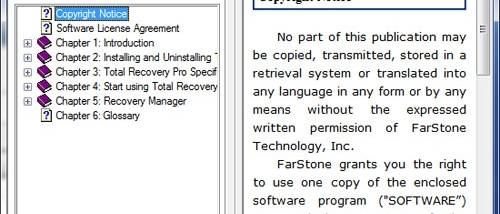

TotalRecovery Pro is a backup and recovery utility for Windows PCs, laptops and workstations. It protects personal files as well as complete systems, providing options to restore data after accidental loss or a computer failure. Its image-based backups can include the operating system, installed applications and files, while file and folder jobs let users focus on selected content such as photos, music and email.
File backups can be encrypted with AES, and the program can capture open files while their applications are running, including email files in use. For broader protection, it creates complete disk images and supports incremental imaging, which records changes since an earlier backup. Jobs can be scheduled to run automatically as full or incremental backups, helping administrators and home users maintain regular copies without starting each run manually.
Backup destinations include local and USB drives, network shares, NAS, iSCSI storage, optical discs and remote FTP servers. Storage quotas can limit the space used by each workstation; when space is needed for a new backup, the program can reuse the oldest backup space. Email notifications report backup and restore activity, and pre- and post-backup commands allow scripts to run around scheduled jobs. These options support unattended routines as well as more involved recovery setups.
TotalRecovery Pro also clones a disk to another drive of the same size or larger, and can migrate a system, its files and settings to a new computer or hard drive. Its FileRescue-911 utility can boot into a pre-operating-system environment on a crashed PC to retrieve files from a drive that can no longer start Windows. Google Desktop search integration can help locate backed-up emails and files within backup images. VMware P2V and V2P support is also included for virtual-machine conversion workflows.
The program is trialware intended for Windows systems, with support listed for older Windows releases through Windows 8. Its feature set suits users who need scheduled file protection, full-system imaging, disk cloning or recovery tools in one application. Compatibility with current Windows releases should be confirmed before installation, particularly for boot-based recovery and hardware migration tasks.