VueScan
VueScan is a scanning application from Hamrick Software for people who want more control over digitizing photos, film and paper documents. It can serve as ...

VueScan x64 is scanning software for flatbed and film scanners, covering documents, photographs, slides and negatives. It offers color-balance controls, tools for restoring faded colors, batch scanning and output to PDF, JPEG or TIFF. Support for many scanner models can help keep older hardware useful, while advanced settings serve users who need more control over scan quality. The demo adds image watermarks and is limited by supported devices.
| Author: | Hamrick Software |
| License: | Demo |
| Price: | $9.95 |
| Released: | Jun 27, 2024 |
| File size: | 12.20 MB |
| Downloads: | 858 |
| Keywords: | x64 scan film, high-quality scanning, x64 film scanner, scan to pdf, x64 OCR, Hamrick Software, scan photos to computer, cross-platform compatibility, x64 scanner, batch scanning software, VueScan x64, scanner software, user-friendly interface, x64 paper scan, film scanner software, scan slides and negatives, film x64, advanced features |
| Author URL: | https://www.hamrick.com/ |
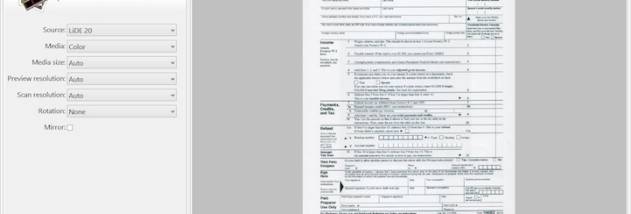

VueScan is scanning software for people who want to use a flatbed or film scanner for documents, photographs, slides and negatives. It works with many scanner models and provides controls for producing balanced, color-accurate images, making it useful for everyday home scanning as well as more demanding photo and film work. Its broad device support can also help extend the usefulness of an older scanner.
The program handles both reflective originals, such as paper and prints, and transparent film, including slides and negatives. Users can save scans as PDF documents or as JPEG and TIFF images, choosing formats suited to sharing, archiving or further editing. For film and photo work, color restoration tools can help recover faded colors in older images. Adjustable scanning options let users refine the output rather than relying only on a basic automatic scan.
Batch scanning is available for workflows involving multiple originals. Instead of treating each item as a separate task, users can prepare a series of pages, photographs or film frames and process them together, reducing repetitive handling. The software is designed to provide both straightforward controls for routine scans and more advanced options for users who need to manage image quality and scanning settings more closely.
VueScan can be used to digitize paperwork, create searchable archives of visual material, preserve family photographs and convert film collections into digital files. Its support for PDF is useful for document storage, while JPEG and TIFF provide options for image sharing and higher-quality retention. The program operates alongside other scanner software, so installing it does not require removing existing scanning applications.
This is a demo edition, and its trial output includes image watermarking; entering a purchased serial number disables the watermark. The x64 edition is intended for compatible 64-bit Windows systems, including Windows 10 and Windows 11. Device support depends on the scanner model, and the demo is limited by the number of supported devices.