ManyCam
... screen content and media in video calls or broadcasts. It works as a virtual camera source for ... changes in content during a presentation or live broadcast. Picture-in-picture can show a presenter alongside shared content, ...

Wirecast is live video production software for creating broadcasts from a computer. It combines webcams, IP cameras, capture cards and NDI sources with graphics, titles and transitions, then encodes the program for streaming or recording. Features include chroma key, virtual sets, 3D graphics, remote guest conferencing and on-screen social comments. It supports output up to 4K and multi-bitrate streaming for audiences with different connection speeds.
| Author: | Telestream, Inc. |
| License: | Demo |
| Price: | $29.08 |
| Released: | May 15, 2026 |
| File size: | 454.00 MB |
| Downloads: | 816 |
| Keywords: | streaming production studio, multiple layer, Wirecast, webcast, Telestream Inc product, create dynamic webcast, live streaming software, multi camera streaming, build multimedia broadcast, Wirecast x64 version, multi-platform streaming software, live video encoder, webcast production, professional broadcasting application, live video streaming tool, Wirecast software review, broadcast, video broadcast software |
| Author URL: | https://www.telestream.net/ |

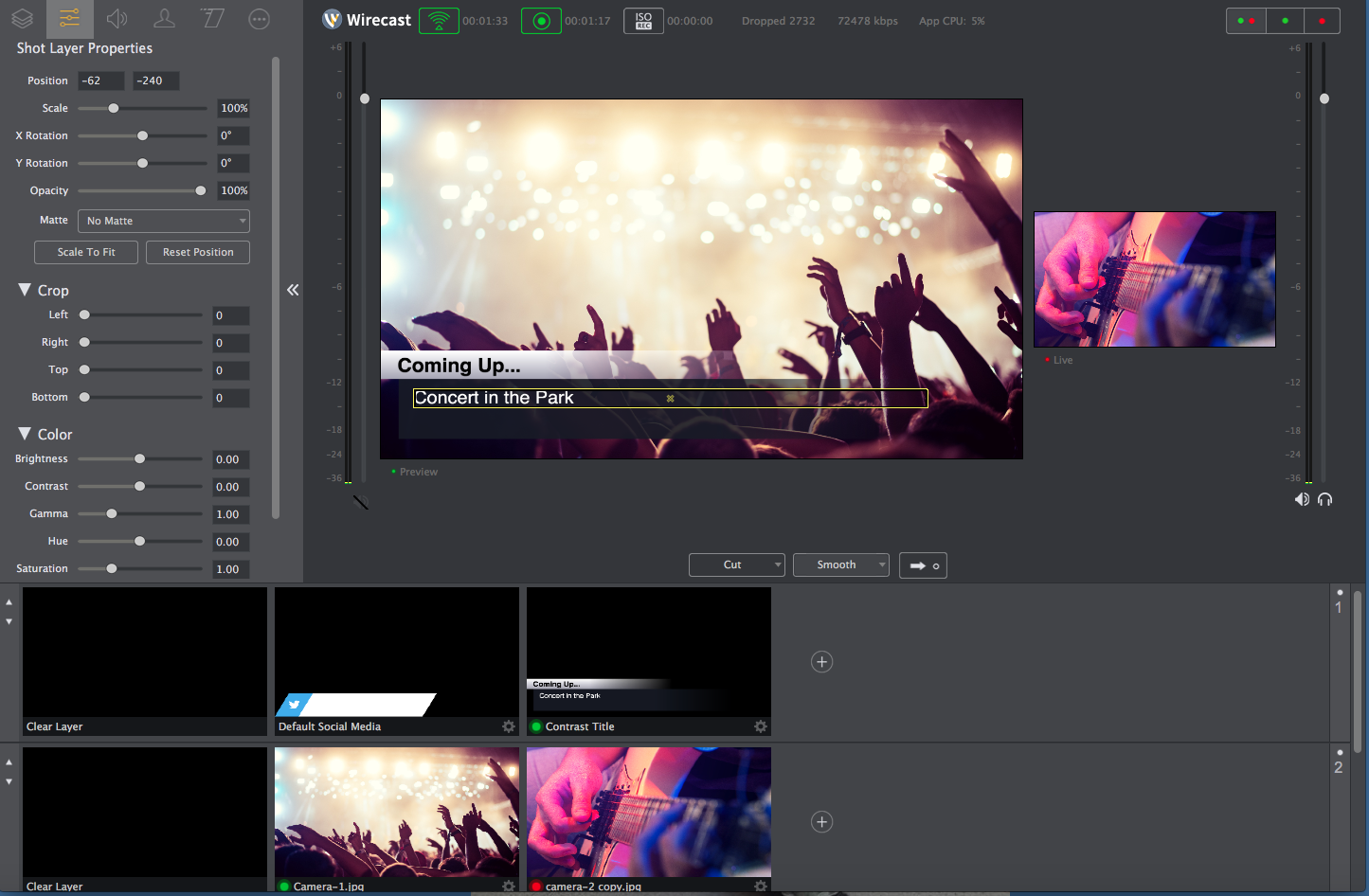



Wirecast is live video production software for broadcasters, event organizers, educators, houses of worship and other creators who need to build a polished video program from a computer. It combines camera and other video inputs with graphics, titles and transitions, then encodes the production for live streaming or recording. The studio-style workflow suits both a solo operator switching between sources and a team producing a more involved broadcast.
The software accepts sources such as webcams, IP cameras, capture cards and NDI feeds. Operators can arrange these as shots and switch between them during a production, adding titles, graphics and transitions to shape the program as it happens. Chroma key compositing supports green-screen effects, while virtual sets and 3D graphics provide additional ways to create a designed on-screen setting. These tools are useful for interviews, presentations and live events where the production needs more than a single camera view.
Wirecast encodes the finished program for streaming and supports resolutions up to 4K. Customizable encoding presets let broadcasters adjust output for their production requirements and available bandwidth. Multi-bitrate streaming can provide streams at different quality levels, helping accommodate viewers with varying connection speeds. The software can also record broadcasts for on-demand viewing, making it practical to reuse a live program after the event has ended.
For interactive productions, built-in conferencing can bring remote guests into a broadcast, and social integrations can display live comments and tweets on screen. Wirecast also works with third-party tools and services, including Adobe Photoshop for preparing graphics and NewBlueFX for additional titles and effects. These options let producers incorporate audience participation and supplementary visual material without limiting a show to live camera feeds.
Typical uses include webinars, sports coverage, church services, interviews and live event streams to services such as YouTube and Facebook Live. Wirecast is offered as a demo and runs on 64-bit Windows 10 and Windows 11. Its range of inputs and production controls makes it suitable for straightforward webcasts as well as more elaborate multi-source programs; the number of sources, output quality and production complexity can be planned around the available equipment and network bandwidth.