FileMove SE
... designed to simplify and automate the process of file management, making it an essential asset for both personal ... SE stands out in the crowded field of file management software with its intuitive user interface and robust ...

WizFile is a Windows file-search utility that reads NTFS file information from the Master File Table to produce results as search terms are entered. It supports partial names, wildcards and Boolean operators, with filters for file type, size and modification date. Users can search supported network and external drives, adjust display options and export results. Searches stay local to the computer.
| Author: | Antibody Software |
| License: | Open Source |
| Price: | $20.00 |
| Released: | Apr 17, 2026 |
| File size: | 5.10 MB |
| Downloads: | 180 |
| Keywords: | file search utility, find large files, Antibody Software, disk usage, ntfs file search, finder, download WizFile, portable application, portable utility, fast search, disk management, find, searcher, user-friendly interface, file search, wildcard file search, search files by name, file finder, search, file management, fast indexing, WizFile free download, fast file finder, WizFile, search file |
| Author URL: | http://bulkimagedownloader.com/ |


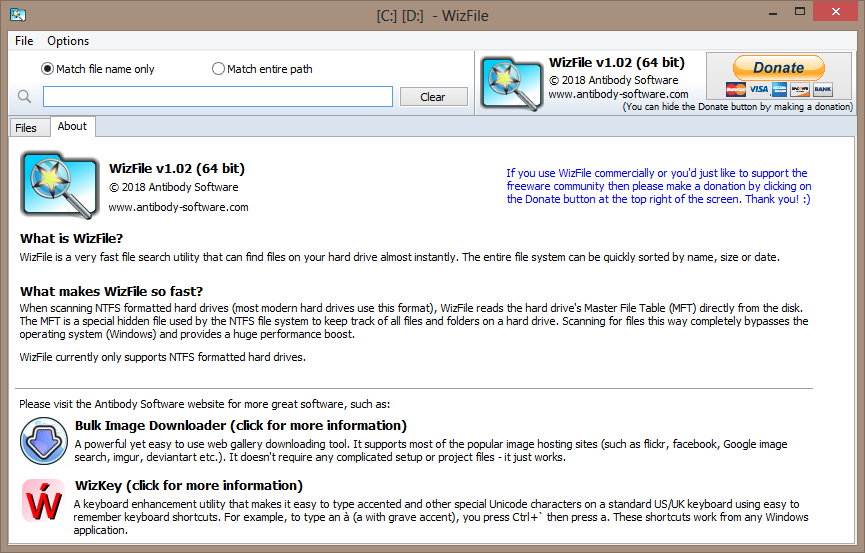


WizFile is a file-search utility for Windows from Antibody Software, designed for people who need to locate files across large folders or storage drives. It reads file information from the NTFS Master File Table (MFT), allowing it to build a searchable view without first creating the kind of full content index used by some desktop search tools. Results update as search terms are entered, making it useful for quick lookups as well as repeated searches during file-management work.
The search field accepts filenames and partial names, so users can narrow a large collection by typing a distinctive word or fragment. Wildcards help match patterns when the exact name is unknown, while Boolean operators can combine or exclude terms for more targeted queries. Filters for file type, size and modification date provide another way to reduce the results when a simple name search returns too many matches. Results are presented in a list for browsing, helping users identify the relevant file and its location.
WizFile can search multiple storage locations, including supported network drives and external devices. This is useful when files are spread across internal disks, removable storage or shared locations. Search results can also be exported, making it possible to keep a record of matches or pass a file list to another person. Display and search options can be adjusted to suit different workflows, from occasional home searches to frequent lookups across large collections.
The program is suited to tasks such as finding a document whose folder has been forgotten, locating files by name or extension, and identifying older or unusually large files. Because its search is based on file-system records rather than scanning the contents of every document, it is primarily a tool for finding files by their names and properties, not for searching words inside documents. Its direct approach can make it a practical alternative when a broad Windows search is slower or returns more information than needed.
WizFile is open-source software for Windows. It supports Windows 10 and 11, as well as several earlier Windows versions. Search information is processed locally, with no internet data transmission required for searching. Performance and available results depend on the file system and storage locations being searched; MFT-based searching applies to NTFS volumes, while other locations may work differently. The straightforward interface keeps the main task focused on entering a query, narrowing the matches and opening or exporting the results.