Ashampoo SHARPEN
Elevate your image editing experience with Ashampoo SHARPEN, the ultimate tool designed to enhance the ... and sharpness of your photos effortlessly. Developed by Ashampoo GmbH and Co KG, this intuitive software provides ...

AI Filter #1 Professional is an Ashampoo photo-editing program that combines AI-assisted corrections with filters and effects. It can adjust exposure, contrast and color balance, apply preset styles, and let users fine-tune the results. Batch processing applies changes to multiple images, helping photographers work through collections more efficiently.
| Author: | ashampoo GmbH and Co KG |
| License: | Trialware |
| Price: | FREE |
| Released: | Mar 6, 2025 |
| File size: | 901 kB |
| Downloads: | 175 |
| Keywords: | editor, image processing, ai photo filter, Photo Enhancement, Software Tool, photo effects editor, professional filters, Profession, AI enhancement, batch photo editing, Image Editing, Ashampoo software, creative tools, AI Filter #1 Professional free download, filter, LUT style creator, photo filter software, intuitive interface, AI Filter #1 Professional, ai image editor, style, LUT, Ashampoo, download AI Filter #1 Professional, custom photo filters, create photo filter, AI Filter |
| Author URL: | https://www.ashampoo.com/en-us/photo-organizer |


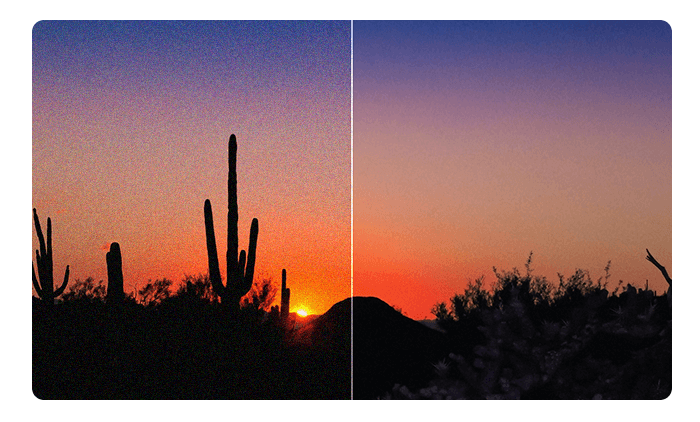
AI Filter #1 Professional is an image-editing program from Ashampoo for photographers and other users who want to apply filters and adjust photos with AI-assisted tools. It combines ready-made visual styles with controls for refining the result, making it suitable for quick enhancements as well as more deliberate creative edits.
The software analyzes images and can automate adjustments to exposure, contrast and color balance. These corrections help address common photo issues before or alongside the application of a filter. Users can choose from preset filters and effects to change the appearance of an image, then fine-tune settings to better match the intended look. This provides a more controlled approach than applying a preset without adjustment.
Batch processing lets users apply filters and adjustments to multiple images in one operation. This can reduce repetitive work when preparing a group of photographs with a consistent style. The combination of automated corrections, presets and manual refinement supports a workflow in which images can be improved individually or treated as a collection. The program is intended to be accessible to users with different levels of editing experience.
AI Filter #1 Professional can be used to enhance everyday photographs, develop a particular visual style, or prepare images for a portfolio. Its filter-oriented tools focus on image appearance rather than replacing a full photo-editing workflow; users can make corrections and stylistic changes without needing to build each effect from scratch. The available customization is useful when a preset is close to the desired result but needs adjustment.
The program is trialware from Ashampoo and is designed for 64-bit editions of Windows 10 and Windows 11. Its features center on AI-assisted photo correction, filters, effects and batch editing. Specific supported image formats and system requirements beyond the stated Windows compatibility are not established here, so they should be checked before installation when they affect a particular workflow.