ImageJ
ImageJ is a Java-based image processing and analysis program for researchers, technicians and other users who need to inspect or measure images. It can display, edit, ...

ImageJ is a Java-based image processing and analysis application for scientific and technical work. It opens formats including TIFF, JPEG, PNG, DICOM and FITS, and supports 8-bit, 16-bit and 32-bit images. Tools provide contrast adjustment, filtering, geometric transformations, measurements, histograms and line profiles. Stacks display image sequences in one window, while calibration supports measurements in real-world units. Macros and Java plugins extend or automate workflows.
| Author: | Wayne Rasband |
| License: | Freeware |
| Price: | FREE |
| Released: | Mar 4, 2024 |
| File size: | 77.30 MB |
| Downloads: | 1893 |
| Keywords: | x64 image processor, x64 image editor, imagej plugins, image processing tool, ImageJ x64, multi-dimensional imaging, Wayne Rasband, scientific image analysis, image analysis software, x64 modify, x64 edit, dicom image viewer, open-source application, microscopy image analysis, image processing software, x64 image analysis, x64 change, scientific image editor |
| Author URL: | https://imagej.nih.gov/ |
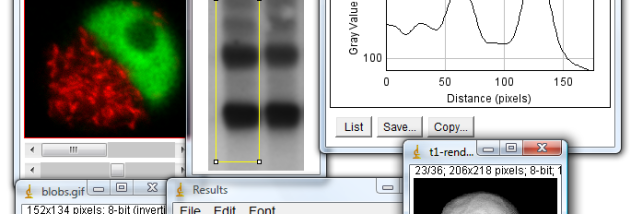


ImageJ is a Java-based image processing and analysis application for researchers, educators, technicians and other users who need to inspect or measure image data. It handles grayscale, indexed-color and RGB images in several numeric formats, including 8-bit, 16-bit and 32-bit data. Images can be opened, edited, analyzed, processed, saved and printed, with multiple image windows available at once subject to available memory.
The program reads common formats such as TIFF, GIF, JPEG, BMP and PNG, as well as scientific formats including DICOM and FITS, and raw image data. It can organize related images as stacks, displaying a sequence in one window for inspection or analysis. Standard processing tools include contrast adjustment, sharpening, smoothing, edge detection and median filtering. Geometric operations such as scaling, rotation and flipping are available, while zoom ranges from 32 times magnification to 1/32 scale; analysis tools continue to work at different zoom levels.
ImageJ provides measurement tools for defining selections, calculating area and pixel-value statistics, and measuring distances and angles. Density histograms and line-profile plots help examine image intensity and variation. Spatial calibration lets measurements use real-world units such as millimeters, while gray-scale or density calibration can relate pixel values to calibrated measurements. Its multithreaded design allows some lengthy operations, including image reading, to run alongside other work.
Macros can automate repeated tasks and create custom tools, with a command recorder that generates macro code from program actions. The open architecture also supports Java plugins for specialized image acquisition, processing and analysis; plugins can be developed using the built-in editor and Java compiler. These capabilities make ImageJ useful for laboratory workflows, microscopy, medical-image review and other work where repeatable measurements or tailored analysis are needed. It can also serve as a Java image-processing library for developers building applets, servlets or applications.
ImageJ is freeware, and its source code is in the public domain. This 64-bit Windows edition is intended for compatible Windows systems, including Windows 10 and Windows 11. The application is written in Java, so Java runtime availability is relevant to running it. Its tools can be extended through user-created macros and plugins, allowing workflows to be adapted without changing the core application.