Alternate Calculator for Windows 10 - Full description
Alternate Calculator is a Windows desktop calculator for everyday arithmetic and a range of common mathematical tasks. Its straightforward layout keeps calculation controls accessible, making it suitable for users who want a focused alternative to a basic on-screen calculator, including students, home users and people handling routine figures at work.
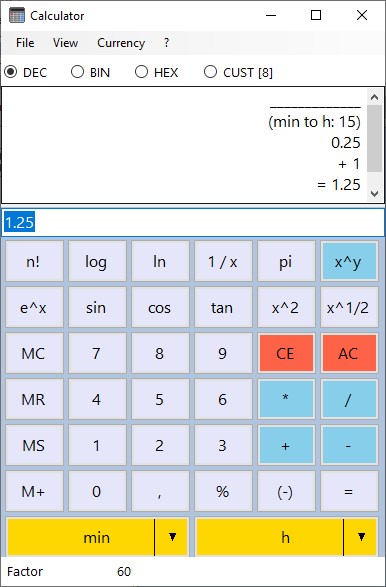
Alongside addition, subtraction, multiplication and division, the program provides square roots and percentage calculations. These functions cover many practical tasks, from checking totals and working out proportions to exploring simple numerical problems. A memory feature stores a value for later recall, which can help when a calculation depends on a number that would otherwise need to be entered again. The interface presents the controls in a direct, uncluttered arrangement so operations can be entered and results checked without navigating a complex workflow.
Alternate Calculator can keep multiple calculations in progress, which is useful when comparing results or working through related steps. Rather than replacing one task with another, users can maintain separate calculation threads and refer back to their work as needed. Customizable settings let users adjust aspects of the calculator to suit their preferences, while the program's lightweight design is intended to keep it responsive without demanding substantial system resources. It is also available in multiple languages.
The calculator is suited to quick checks at a desk, routine arithmetic, percentage calculations and basic educational work. Its memory and simultaneous-calculation features can also help with small sequences of related figures, such as comparing totals or checking intermediate results. It focuses on calculation rather than broader functions such as spreadsheet editing or data analysis, so it can serve as a simple standalone tool for numerical tasks.
Alternate Calculator is freeware from AlternateTools. It supports Windows 10 and Windows 11, as well as several earlier Windows releases and Windows Server editions. The provided system information includes both 32-bit and 64-bit support for Windows 10. Its compact installation size makes it practical for systems where a lightweight calculator is preferred.