AMD Driver Autodetect
Welcome to the download page of AMD Driver Autodetect, an innovative software developed by Advanced ... 10 users, aiming to simplify and optimize your AMD graphics driver installation process. With AMD Driver Autodetect, ...

AMD OverDrive is a Windows utility for monitoring and tuning supported AMD systems. It combines simple performance controls, including a slider and one-click tuning, with advanced settings for processor, memory and chipset parameters. Users can monitor clocks, voltage and memory timings, apply DDR3 memory profiles, configure app-specific Smart Profiles and adjust fan behavior. A multithreaded CPU test helps check stability after tuning. AMD no longer supports the freeware tool.
| Author: | George Woltman |
| License: | Freeware |
| Price: | FREE |
| Released: | Nov 20, 2015 |
| File size: | 30.30 MB |
| Downloads: | 435 |
| Keywords: | amd memory tuning, AMD Overdrive, Overdrive, amd overdrive utility, performance tuning, x64 software, amd overclocking software, AMD, system customization, Cipset Overclock, Overdrive AMD Cipset, Windows 10 compatible, pc stability test, George Woltman, amd fan control, Cipset, AMD Cipset, amd cpu tuning |
| Author URL: | http://game.amd.com/us-en/ |
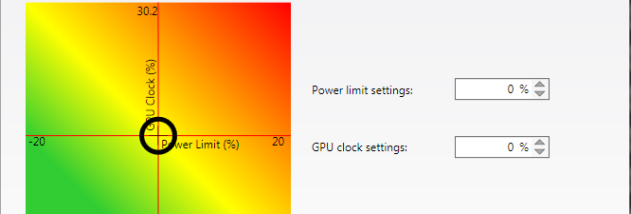



AMD OverDrive is a Windows utility for monitoring and tuning supported AMD-based PCs. It gives novice users a simplified way to adjust performance and provides enthusiasts with detailed controls for processor, memory and chipset settings. The software is intended for users who want to experiment with overclocking, review system behavior or adjust cooling characteristics from a single interface. AMD no longer supports the tool, so its availability and usefulness depend on the hardware and drivers already in place.
The interface includes a performance slider and one-click tuning option for basic adjustments, alongside controls for users who want to set parameters manually. Available readings include processor and memory clocks, voltage and memory timings, helping users see how configuration changes affect the system. Because overclocking can increase heat and instability, these controls are best used gradually, with system monitoring during and after each change.
For memory tuning, AMD OverDrive offers preconfigured profiles for compatible high-speed DDR3 memory. Smart Profiles can apply performance and processor-affinity settings when selected applications run; users can work from built-in profiles or create their own. Customizable AutoClock provides an automated tuning option, while fan controls and monitoring tools help manage cooling and noise behavior on supported systems.
A built-in, multithreaded processor test can be used to check stability after changing settings. This makes the utility useful for desktop enthusiasts testing a configuration, troubleshooting instability after tuning, or comparing system behavior under load. Monitoring and testing complement one another: readings show key operating parameters, while the stress test helps reveal whether the system remains stable during sustained CPU activity.
AMD OverDrive is freeware for Windows, with support listed through Windows 10. Its controls are intended for compatible AMD hardware, and available options vary with the processor, chipset, memory and motherboard. Overclocking may cause instability or excessive heat, so conservative changes and adequate cooling are important. Since AMD has discontinued support, users should not expect ongoing updates or assistance, and the program may not work reliably with newer hardware or operating systems.