cFosSpeed (32 bit)
cFosSpeed is a traffic-shaping utility for Windows PCs that manages network data ... network delay and limit congestion so that important traffic remains responsive under load. The program identifies network traffic ...

cFosSpeed manages network traffic to keep internet applications responsive when a connection is busy. It prioritizes time-sensitive data, including online games, VoIP and streaming, over large transfers, and can adjust priorities while running. The utility supports multiple connection types and network setups, offers a status window, and can route mobile-device traffic through a configurable Wi-Fi access point on compatible Windows x64 systems.
| Author: | Atlas Tech Solutions |
| License: | Trialware |
| Price: | $15.95 |
| Released: | Mar 13, 2026 |
| File size: | 4.60 MB |
| Downloads: | 769 |
| Keywords: | Traffic Shaping technology, reduce gaming ping, Speed Booster, cFosSpeed, cFos Speed, network traffic prioritization, traffic, Internet Acceleration, Prioritize Internet traffic, internet traffic shaper, Cfos Software, bandwidth management utility, internet connection optimizer, 64bit (x64), Traffic Optimizer, Internet Boost, acceleration, accelerate, Reduce Ping, wifi access point traffic |
| Author URL: | https://atlas-cfosspeed.com/ |
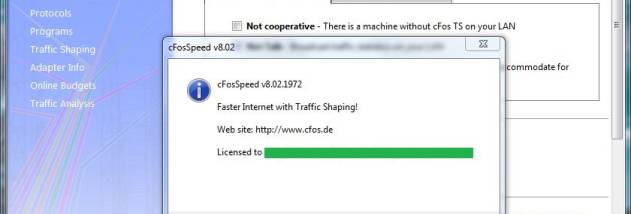

cFosSpeed is a Windows traffic-shaping utility for people who want internet applications to remain responsive while a connection is busy. It monitors network traffic and manages how available bandwidth is shared, aiming to keep ping times low and reduce congestion. It can be used with a connection serving one computer or a network shared by several devices, and supports broadband, mobile and dial-up connections.
Its traffic prioritization gives time-sensitive data, such as online game traffic, VoIP calls and audio or video streams, precedence over less urgent transfers. In practice, large uploads and downloads can continue using the connection, while cFosSpeed adjusts their priority when interactive or streaming traffic needs bandwidth. The prioritization scheme is configurable, and priorities can be changed while the program is running. This can help maintain response times during heavy network use rather than simply limiting every application to a fixed share.
The program supports a range of network setups, including DSL, cable, modem, ISDN and mobile connections, as well as LAN, WLAN, VPN, router and dial-up configurations. It can handle multiple simultaneous connections and adjustable routes. A status window provides a view of network activity and can be customized with skins. These tools make it possible to monitor traffic and tailor prioritization to the way a computer or local network is used.
On compatible Windows x64 systems, cFosSpeed can also start, configure or stop a Wi-Fi access point through a context-menu option. Mobile devices can connect through that access point, with their traffic routed through the computer and handled by cFosSpeed. The PC may share its Wi-Fi adapter when connected to a router over Wi-Fi, or use a separate Wi-Fi adapter for the access point while connected to the router by cable. This setup can apply traffic shaping to phone and tablet activity, including streaming and VoIP.
cFosSpeed is trialware for Windows 10 and Windows 11, with 32-bit and 64-bit Windows 10 support and a 64-bit edition for current systems. Its range of connection and routing options makes it relevant to both individual PCs and more involved home network setups. Results depend on the network configuration and the traffic competing for bandwidth; traffic shaping manages available capacity rather than increasing the connection speed provided by an internet service.