cFosBroadbandConnect (32bit)
cFosBroadbandConnect is a Windows PPPoE dial-up driver for computers that connect to broadband services through an Ethernet modem or network adapter. It is intended for users ...

cFosBroadbandConnect is a PPPoE dial-up driver for x64 Windows systems, built for broadband connections that need high throughput with low CPU use. It offers PPPoE auto-detection, configurable connection parameters, filters for service and access-point names, and support for multiple simultaneous sessions. The driver can also accept incoming connections for PPPoE server setups and testing. Compatibility information covers 64-bit Windows Vista, Windows 7, and Windows 8.
| Author: | Cfos Software |
| License: | Trialware |
| Price: | $19.90 |
| Released: | Apr 9, 2009 |
| File size: | 2.20 MB |
| Downloads: | 617 |
| Keywords: | cFos Broadband Connect, high-speed internet connection, pppoe auto detect, pppoe dial up driver, pppoe server software, Dial-Up driver x64, CFos Software, Windows 10 compatible, Internet Access x64, multiple pppoe sessions, x64 software, PPPoE x64, cFos Broadband Connect x64, Dial-Up driver, NDIS x64, pppoe broadband driver, pppoe connection software, x64 modem, x64 bit Edition for Windows |
| Author URL: | https://www.cfos.de/ |
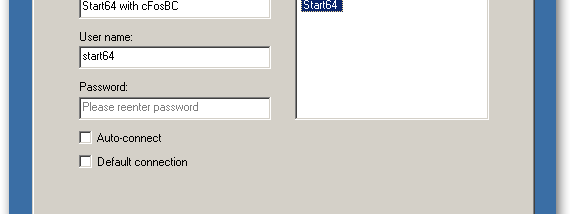

cFosBroadbandConnect is a PPPoE dial-up driver for x64 Windows systems, intended for users who connect to broadband through PPPoE and need an alternative to the standard Windows driver. It handles the network connection at the driver level, aiming to sustain high throughput while keeping processor use low. Its connection settings and automatic access-point detection make it suitable for both manually configured connections and networks where the available PPPoE access point needs to be discovered.
The program supports the important PPPoE connection parameters, which can be configured through the dial-up connection's phone-number field. Auto-detect scans for PPPoE internet access points connected to the system, helping identify where a connection can be made. Users can also set Service-Name and AC-Name filters to limit a connection to a particular service or access concentrator. These controls are useful when a network exposes several PPPoE services or access points and a specific one is required.
Multiple PPPoE sessions can run at the same time, with no fixed limit on incoming or outgoing connections stated by the program. It can also accept incoming calls, allowing a compatible system to operate as a PPPoE server. This provides a way to test connections or run local throughput tests with Gigabit Ethernet hardware, as well as to handle setups that require both inbound and outbound sessions. The driver supports NDIS 5.1 and NDIS 6, with NDIS 6 support available under Vista and Windows 7.
The driver is designed to transfer data at high rates without consuming much CPU time, leaving more processor capacity available for applications such as media players. Its published test figures cite up to 50 Mbyte/s on Gigabit LAN hardware and about 3 percent CPU use at full speed; actual results depend on the computer, network adapter, and broadband connection. It can also be used alongside cFosSpeed, whose traffic shaping is intended to manage bandwidth and reduce latency while data is transferred.
cFosBroadbandConnect is trialware. The supplied system compatibility information covers 64-bit Windows Vista, Windows 7, and Windows 8; it does not establish support for Windows 10 or Windows 11. It is most relevant to users maintaining those older systems or assessing a PPPoE driver for a compatible setup. Before installation, users should confirm that their network equipment and internet provider support PPPoE and that the driver is suitable for their Windows environment.