Portable ClipDiary
Portable ClipDiary is the portable edition of ClipDiary, a clipboard utility developed by Softvoile. It records ...

ClipDiary is a Windows clipboard manager that saves a history of copied items for later reuse. Search, filters, and page navigation help locate a clip, while selection actions let users paste, copy as plain text, rename, delete, or save it to a file. Hotkeys provide quick access to clip selection and previous or next entries.
| Author: | Softvoile |
| License: | Trialware |
| Price: | $19.99 |
| Released: | Oct 5, 2026 |
| File size: | 4.30 MB |
| Downloads: | 14 |
| Keywords: | Clipboard, plain text paste, clipboard search, clipboard hotkeys, Windows clipboard manager, Logger, ClipDiary free download, Manage Clipboard, clipboard viewer, clipboard history, Clipboard History, download ClipDiary, Recorder, Grabber, ClipDiary, clipboard manager, Windo, Clipboard Viewer |
| Author URL: | http://softvoile.com/ |

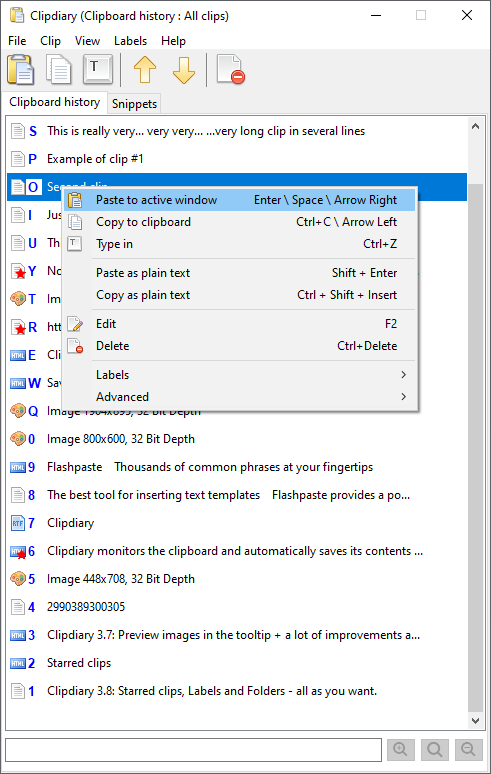
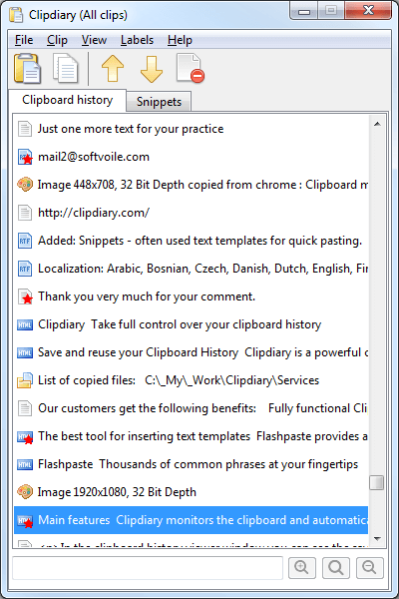

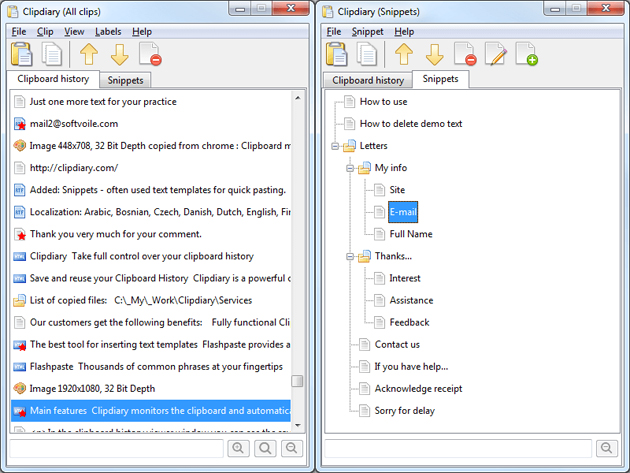
ClipDiary is a clipboard manager for Windows that keeps a history of copied items so they can be retrieved and reused later. It is suited to people who copy text repeatedly while working across documents, websites, email, and other applications. Instead of relying on only the most recent clipboard entry, users can browse a collection of earlier clips and select the one they need.
The main window displays saved clipboard entries and provides search and filtering tools for finding a particular item. When the history becomes long, page navigation helps browse through stored clips; filters can also be reset to return to the full collection. Selecting an entry offers actions to paste it into the active window, copy it back to the clipboard, or paste it as plain text. Clips can also be renamed, deleted, or saved to a file, making the history useful for both quick reuse and keeping selected content separately.
ClipDiary records details such as the source application and the date an item was created, which can help distinguish similar clips. Keyboard shortcuts support common tasks without requiring users to open the main window: they can show a clip-selection dialog, move to the previous or next clip, trigger an automatic paste after a quick copy, or paste the current clipboard content as plain text. Settings allow adjustments to pasting behavior, the interface, and filters. A first-run wizard introduces the essential tools, and a help manual covers the built-in features.
The program runs from the Windows system tray, where it can remain available while other applications are in use. Its history can be useful for reusing snippets, transferring text between programs, retrieving something copied earlier, or pasting text without carrying over formatting. The list-based interface also makes it possible to review, organize, and remove entries rather than repeatedly recopying the same material.
ClipDiary is trialware. The supplied operating-system compatibility includes Windows 10 in 32-bit and 64-bit editions, as well as Windows 8, Windows 7, and Windows Vista. Its clipboard history and hotkeys are intended for desktop workflows where users need more control over copied content than the standard clipboard provides.