
Copymark

Copymark 3.3.5

Test file-transfer performance and review results

Copymark benchmarks file-transfer performance by generating test files and copying them through the Windows Shell. It records results in CSV format for review in spreadsheet or data-analysis tools, and an optional plotting feature helps visualize performance across test runs. The utility is suited to users comparing file-copy behavior or investigating transfer slowdowns. It is freeware.

Copymark 3.3.5 details

Author:
License: Freeware
Price: FREE
Released:
File size: 6.50 MB
Downloads: 279
Keywords: file transfer performance, test file transfer, test, Windows 10, tester, Sourceforge, file transfer benchmark, copy performance test, Copymark, analyze, system performance tester, system benchmark, data transfer speed test, csv benchmark results, file copy speed test, x64 software, file transfer analysis, file copying benchmark
Author URL: https://sourceforge.net/
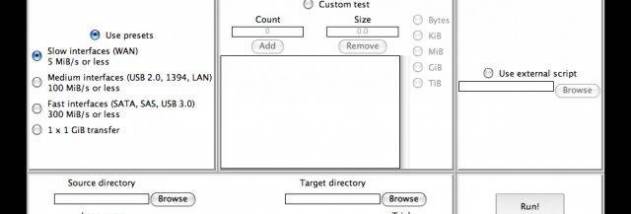
Copymark screenshot
CopymarkBenchmarkingWindows XP, Windows Vista, Windows Vista x64, Windows 7, Windows 7 x64, Windows 8, Windows 8 x64, Windows 10, Windows 10 x64

User Rating: 1.5 (2 votes)

Windows 10

x32

Windows 10

x64

Copymark Awards

Windows 10 download editor's pick

Copymark for Windows 10 - Full description

Copymark is a file-transfer benchmarking utility for users who want to measure how quickly a system handles file copies. It simulates real-world transfer activity by generating files and moving them through the operating system's standard file-management interface. The results can help compare transfer performance under different conditions or provide a repeatable test when investigating slow file operations.

A test begins with Copymark generating the files used in the benchmark. It then transfers them through the Windows Shell, so the operation follows the familiar system file-handling path rather than relying on a separate copy engine. This approach provides a way to observe performance in a workflow similar to everyday file copying. The generated workload can be run again to gather further results for comparison.

After a transfer, the utility outputs performance results in CSV format. This makes the measurements accessible to spreadsheet software and other tools that can import comma-separated data, allowing results to be organized, reviewed or compared over time. An optional plotting feature presents results visually, which can make differences between test runs easier to spot than reading raw measurements alone.

Copymark is suited to basic system benchmarking, testing file-transfer performance and examining changes after adjustments to storage or system configuration. It can also provide a simple, repeatable test for users troubleshooting transfer behavior. Its focus is narrow: it measures file-copy activity and reports results, rather than serving as a general file manager or a comprehensive system diagnostic suite.

The program is freeware and uses the Windows Shell for transfers on Windows. Its cross-platform description also refers to Finder on OS X, while this listing focuses on the Windows version. CSV output and optional plotting support reviewing test results outside the transfer process. Copymark is intended for Windows systems, with published operating-system support extending through Windows 10.

Copymark for Windows 10 - Post your review