HDD Raw Copy Tool Portable
Introducing HDD Raw Copy Tool Portable, a powerful software developed by HDDGURU, designed to ... data. With its user-friendly interface and comprehensive features, HDD Raw Copy Tool Portable is the go-to solution ...

CrystalDiskMark Portable measures storage read and write performance with sequential and random tests. It covers continuous transfers as well as random 4 KB and 512 KB operations, giving users several ways to assess a hard drive or other storage device. Results appear in a simple interface, and text copying makes them easy to retain or share. The portable freeware utility is suited to quick drive comparisons and performance checks.
| Author: | hiyohiyo (Crystal Dew World) |
| License: | Freeware |
| Price: | FREE |
| Released: | Feb 24, 2024 |
| File size: | 3.40 MB |
| Downloads: | 602 |
| Keywords: | hiyohiyo, CrystalDiskMark Portable, HDD, disk benchmark tool, portable, portable application, portable disk utility, storage performance test, Crystal Disk Mark, hard drive performance, sequential read write test, random disk benchmark, bencmark, disk benchmark, analyze, Crystal Dew World, HDD benchmark, hard drive speed test, HDD info, Windows 10 software |
| Author URL: | https://crystalmark.info/en/ |

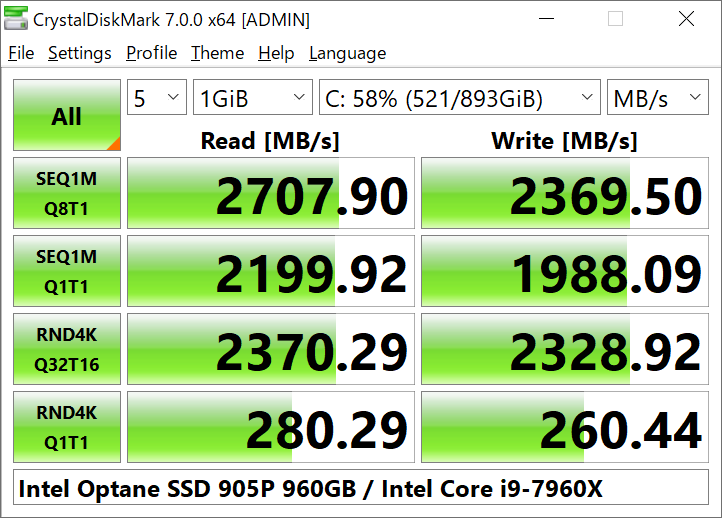
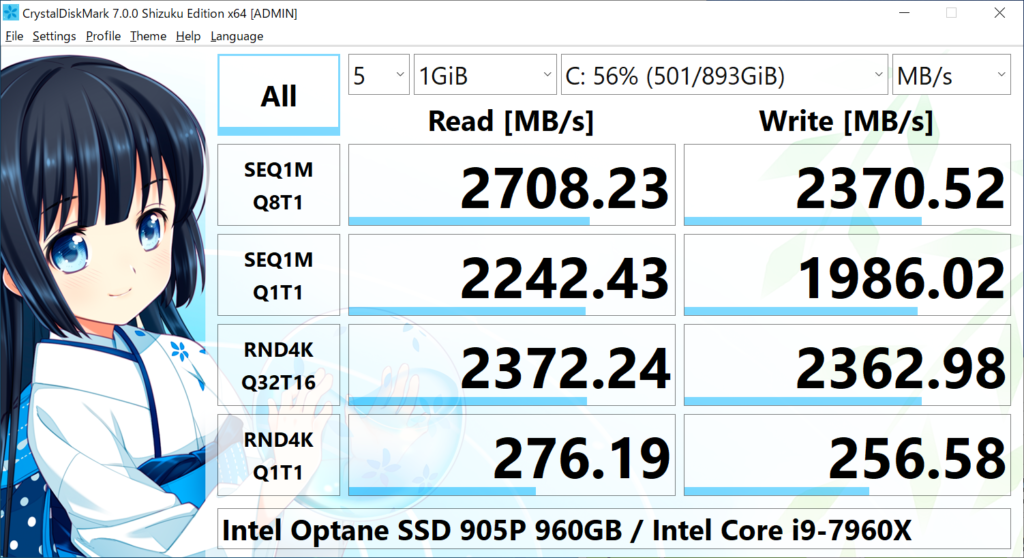


CrystalDiskMark Portable is a lightweight storage benchmark for checking the read and write performance of hard drives and other storage devices. Its straightforward interface makes it suitable for people who want a quick performance check without needing specialist knowledge. The portable edition can be run without a conventional installation, making it useful for carrying on removable storage or keeping separate from the main system setup.
The benchmark includes sequential read and write tests, which measure performance when data is transferred in a continuous stream. These results can help assess tasks involving large files, such as copying videos or disk images. It also tests random reads and writes using 4 KB and 512 KB data sizes. Random tests focus on smaller, scattered operations and offer a different view of how a drive handles everyday activity than sequential figures alone. Results are shown in the program so the test types can be reviewed side by side.
Users can start the benchmarks from the main window and choose text copying to retain or share result details. The interface also offers a changeable dialog design and internationalization support. A run takes only a few minutes in typical use, though duration depends on the selected test settings and storage device. CrystalDiskMark does not require extensive CPU or memory resources, but other programs accessing the drive can affect measurements. Closing active applications and avoiding disk activity during a run helps produce more consistent results.
The utility is useful for comparing drives, checking whether a storage device performs as expected, or recording a baseline before and after a hardware or system change. Its measurements describe performance under the selected benchmark workloads; they are not a diagnosis of drive health and should not be treated as a guarantee of real-world speed in every application. Repeating tests under similar conditions can make comparisons more meaningful.
CrystalDiskMark Portable is freeware from hiyohiyo of Crystal Dew World and supports Windows 10 and Windows 11. Because it runs benchmarks that read from and write to storage, users should select the intended drive and avoid interrupting an active test. The program is focused on performance measurement rather than file management or monitoring, keeping its purpose centered on evaluating storage speed.