Disk Sorter Pro x64
Disk Sorter Pro x64 is a file classification utility for power ... inspect large collections of files. It scans local disks, network shares and NAS storage, then categorizes files ...

Disk Sorter Pro analyzes disks and folders by classifying files according to attributes such as type, extension, size, and dates. Users can create custom rules, filter and search results, and export distribution reports in HTML, PDF, Excel, or text. Rule-based operations can move, copy, or delete files, while monitoring tracks disk usage and file-system changes.
| Author: | Flexense Computing Systems Ltd |
| License: | Demo |
| Price: | $50.00 |
| Released: | Jun 7, 2026 |
| File size: | 9.30 MB |
| Downloads: | 303 |
| Keywords: | analyze, Flexense Computing Systems Ltd, classification, file classification, file classification software, disk space analyzer, file sorting tool, automated file management, file categorization, classify file, analyze folder, data management, disk space analysis, storage reporting tool, Disk Sorter Pro, Windows 10 software, classify, folder analysis software |
| Author URL: | https://www.syncbreeze.com/ |
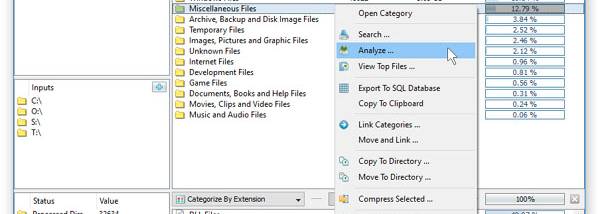


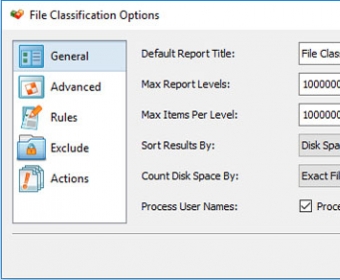

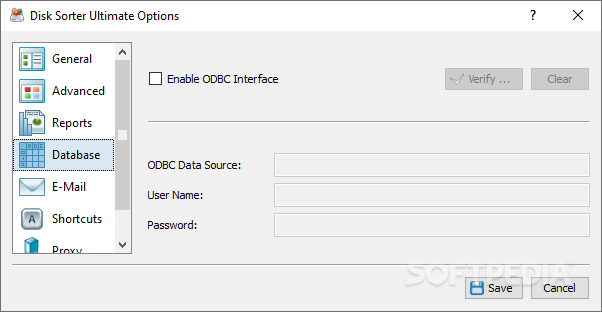
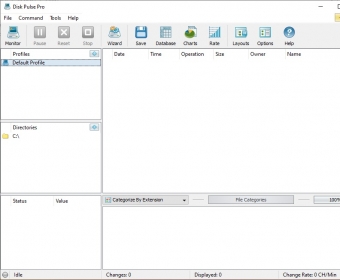

Disk Sorter Pro is a file classification and storage analysis utility for people who need to understand and organize large collections of files. It scans selected disks or folders and groups files according to attributes such as type, extension, size, and creation or modification date. The resulting classifications make it easier to see what occupies storage and locate groups of files that may need review, without relying on manual folder-by-folder inspection.
Classification rules can be customized to match a particular workflow. For example, a user can organize results around file types, sizes, or dates, then apply filters and search to narrow a large scan to relevant items. This is useful when investigating a crowded folder, reviewing a partition, or identifying categories of files that are taking up space. The tool focuses on analysis and rule-based organization rather than requiring users to sort every item by hand.
Disk Sorter Pro can produce reports showing how files are distributed among the classification categories. Reports are available for export in HTML, PDF, Excel, and text formats, so results can be retained, shared, or examined with other tools. Its automated management operations can move, copy, or delete files according to predefined rules. This lets users turn classification results into practical cleanup or organization tasks, while basing those actions on criteria they have configured.
The program also includes real-time monitoring for disk usage and file-system changes, providing a way to keep track of storage activity beyond an individual classification run. Its interface brings scanning, classification, filtering, reporting, and file operations together in one application. These features suit personal storage cleanup as well as recurring file analysis and organization in professional environments where large volumes of data need to be reviewed.
Disk Sorter Pro is commercial software offered as a demo. It is available for Windows, including Windows 10 and Windows 11, and also supports multiple Windows Server editions. The classification criteria, reports, and rule-based operations can be used independently or as stages in a workflow: inspect a storage location, refine the results, export findings, and then manage selected files. Users should review automated operations before applying them, particularly when rules include deletion.