DiskInternals Linux Writer for Windows 10 - Full description
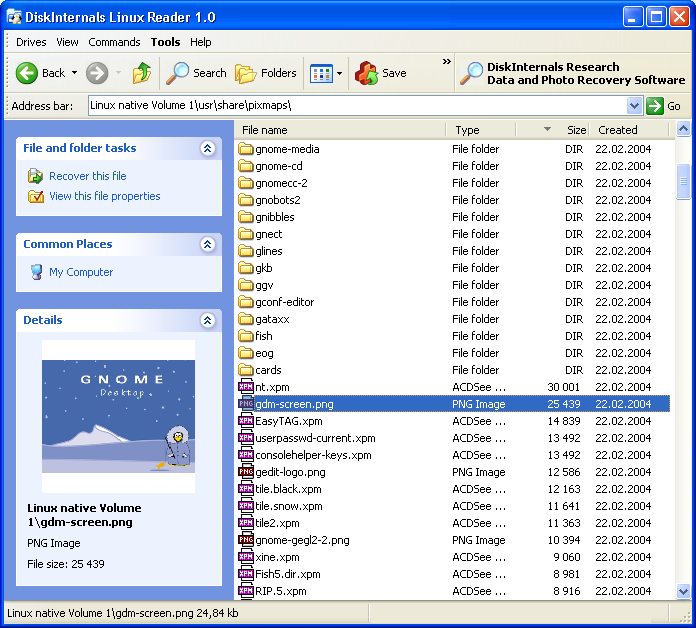
DiskInternals Linux Writer is a Windows utility for accessing and managing files on Ext4 partitions. It is intended for people who use both Windows and Linux, including those who need to work with Linux drive data without restarting a dual-boot computer. The program presents Ext4 files in an Explorer-like interface, so common file operations can be performed from Windows rather than from a Linux session.
The utility can read files from supported Ext4 volumes and lets users edit, rename, delete, copy and organize their contents. Files can be moved between folders on the partition, and folders can be arranged directly on the Linux drive. DiskInternals Linux Writer uses an original Linux driver when writing to Linux partitions. Ext3, Ext2 and non-extent Ext4 partitions are not supported, so the volume format matters when selecting a drive to work with.
The program also includes disk and image formatting tools. It can format a disk to Ext4 or format a disk image to a Linux-compatible format with a custom label. Its recovery feature can retrieve files from an Ext4 partition when Linux will not boot, giving users a way to access data from Windows in a system-recovery situation. These functions make it useful both for routine file transfers and for handling Linux data when the usual operating system is unavailable.
Typical uses include copying documents between Windows and Linux installations, organizing files stored on an Ext4 drive, and recovering files from a Linux system that cannot start. It can also prepare storage in Ext4 format for use with Linux. The Explorer-like layout keeps basic file management familiar to Windows users, while the partition and formatting functions serve users who need to work directly with Linux storage.
DiskInternals Linux Writer is freeware. It supports Windows 10 64-bit and Windows 11, as well as several Windows Server releases and Windows 8 64-bit. Before making changes, users should confirm that the target volume is a supported Ext4 partition; Ext2 and Ext3 volumes are outside the program's supported formats.