Driver Genius Professional Edition for Windows 10 - Full description
Driver Genius Professional Edition is a driver-management utility for Windows users who need to identify, update, back up, or restore hardware drivers. It scans a computer for missing, outdated, or damaged drivers and presents the results for review. This can help users handle driver maintenance from one place rather than searching for each device driver manually.
The scanning feature checks installed drivers and flags items that may need attention. From the results, users can choose which drivers to update, then download and install selected updates through the program. Reviewing the scan before applying changes helps keep maintenance focused on the hardware that needs it. Scheduled scans are also available, so checks can be arranged as part of routine upkeep.
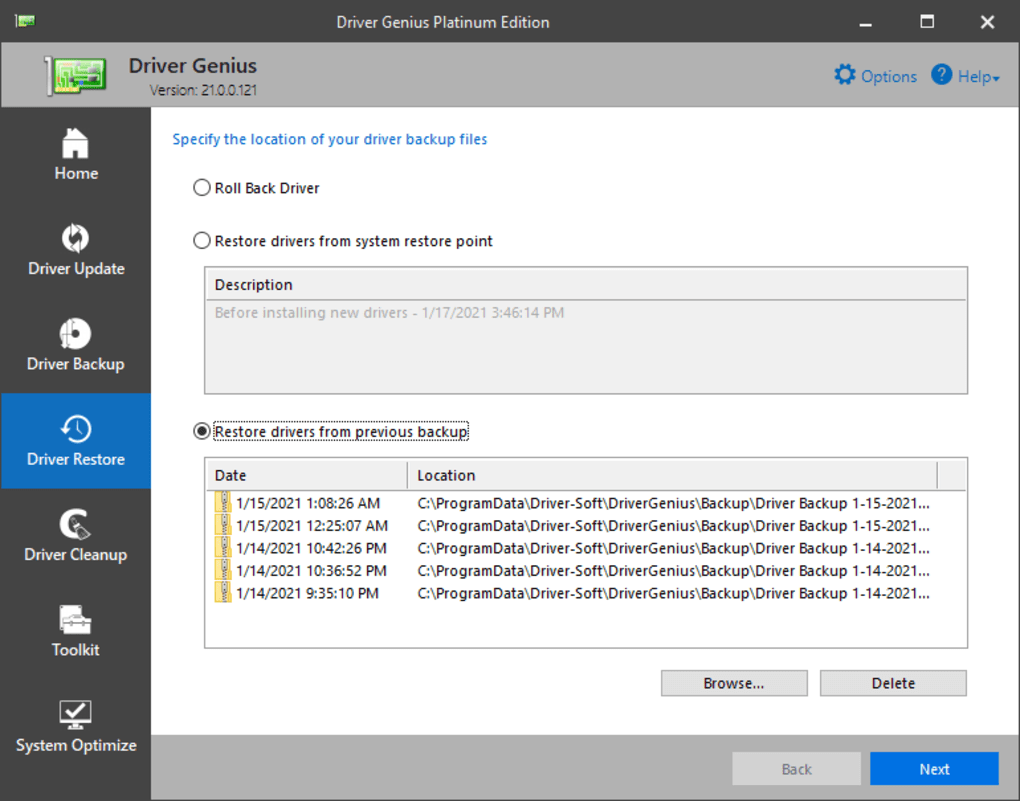
Driver backup and restore features provide a way to save existing drivers before changing them. A backup can be useful when an update causes a device problem or when a system needs to be restored to a previous driver state. The restore function lets users recover saved drivers without having to locate and reinstall each one individually. Driver Genius also supports driver cloning, which can help transfer a driver set when preparing another Windows installation or replacing a system.
The included system information tool gathers details about the computer's hardware and software environment. These reports can help when diagnosing a device issue or documenting a system before maintenance. A cleanup tool removes junk and temporary files to reclaim disk space; it is separate from driver updating and can be used as an additional maintenance task. The dashboard brings together driver status and the program's main tools, with guided steps for scanning, backup, updates, and restoration.
Driver Genius is intended for home users and technicians who want a centralized approach to driver maintenance and recovery. It is trialware from Driver-Soft Inc. and supports Windows 11, Windows 10, Windows 8, Windows 7, and Windows Vista, including listed 32-bit and 64-bit editions where applicable. Driver changes can affect device behavior, so creating a backup before installing updates provides a practical recovery option. Users should check detected updates and their hardware needs before applying changes.