Driver Talent
Discover the power of seamless driver management with Driver Talent, a cutting-edge software developed by OSToto Co., Ltd. This Windows 10 compatible software is your one-stop solution for all ...

DriverHive scans a Windows PC for outdated device drivers and can download and install updates. It creates a system restore point before installation, providing a recovery option if a driver change causes problems. The utility is for users who want to manage driver maintenance through a guided, automated process rather than find updates for each device themselves.
| Author: | Bootstrap Development |
| License: | Trialware |
| Price: | $29.99 |
| Released: | Jun 1, 2016 |
| File size: | 6.60 MB |
| Downloads: | 289 |
| Keywords: | Bootstrap Development, download driver, update, system optimization, update device drivers, driver update utility, x64 software, driver, automatic driver updater, driver maintenance tool, download, DriverHive, driver update, outdated driver scanner, Windows 10, download pc drivers, update driver |
| Author URL: | http://www.bootstrapdevelopment.com |
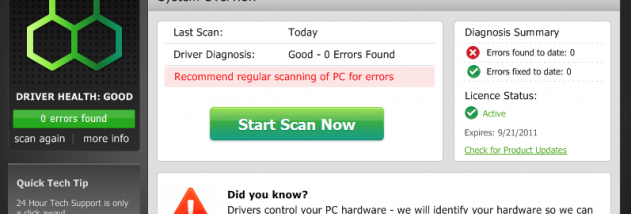



DriverHive is a Windows utility for finding and updating device drivers. It is intended for users who want to check whether drivers are out of date and handle updates without searching for each hardware component's driver manually. Current drivers can help keep connected devices and computer hardware working as expected, though an update does not guarantee that every performance or stability issue will be resolved.
The program scans the computer for installed drivers and identifies ones it considers outdated. This gives users a central place to review potential driver updates instead of checking each device separately. DriverHive can then download and install updated drivers, making the process useful for maintaining hardware such as network adapters, graphics devices, audio components and other peripherals.
Before installing drivers, DriverHive creates a Windows system restore point. A restore point provides a way to roll back system changes if an update causes problems, subject to Windows System Protection being available and configured. The scan, update selection and installation form a guided maintenance workflow for users who prefer an automated approach to driver upkeep.
Driver updates may be relevant when a device is not working correctly, after troubleshooting hardware problems, or as part of routine PC maintenance. Users should still review updates carefully and use a restore point as a precaution, since driver changes can affect system behavior. DriverHive is trialware, and its listed Windows support includes Windows XP, Vista, 7, 8 and 10, including the specified 64-bit editions. Windows 11 support is not established.