DepthView Portable
... cutting-edge software developed by the renowned Chip. This Windows 10 compatible software is a game-changer in the realm of 3D image viewing. DepthView Portable is a ...

EAGLE Light organizes images, videos, fonts and 3D objects in searchable libraries for designers and other users managing visual assets. Add files by dragging and dropping them, then use tags, notes, folders and smart folders to arrange a collection. Keyword search, color filtering and image recognition help locate items. A browser extension captures web content, and sharing and cloud sync support access across devices and collaboration.
| Author: | Eagle |
| License: | Trialware |
| Price: | $34.95 |
| Released: | Mar 27, 2026 |
| File size: | 157.00 MB |
| Downloads: | 455 |
| Keywords: | PCB design software, digital asset manager, layout editor, EAGLE Light, image organizer, create PCB, printed circuit board, PCB designer, schematic editor, circuit, tag images, visual asset library, picture collection, board, Windows 10 compatible, PCB, image search, CadSoft Computer |
| Author URL: | https://eagle.cool/ |
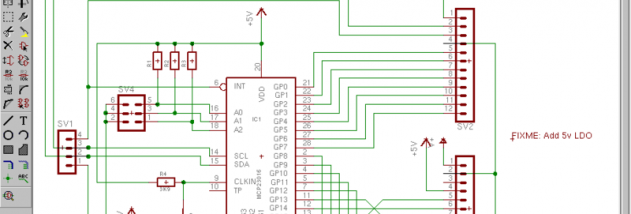






EAGLE Light is a digital asset organizer for designers, creative professionals and anyone who needs to keep a growing collection of visual files easy to browse. It stores assets in libraries and supports images, videos, fonts and 3D objects, giving different kinds of creative material a shared place. Files can be added by dragging and dropping them into a library, then arranged for later reference rather than left scattered across folders.
Organization tools help make collections searchable as they grow. Users can add multiple tags and notes to an asset, while folders group related material by project, subject or another preferred scheme. Smart folders provide a way to collect matching items automatically. Search combines keywords with color filtering and image recognition, helping locate a visual reference by its details or appearance as well as by its name. These tools are useful for building mood boards, maintaining reference libraries and finding previously saved design assets.
A browser extension captures web content directly into an EAGLE library, making it practical to save inspiration and research while browsing. Sharing options let users share libraries or individual folders with team members, supporting collaborative review and access to common collections. Cloud sync is available for accessing assets across multiple devices. Together, capture, cataloguing and sharing reduce the need to move between separate tools when collecting and revisiting visual material.
EAGLE Light can serve as a personal archive for images and ideas, a searchable reference collection for creative work, or a shared library for a team. Its broad file support suits workflows that involve more than still images, while tags, notes and search make large collections easier to navigate. The interface provides a visual workspace for browsing assets, with indexing and caching intended to keep library access responsive as collections expand.
The software is trialware and is available for 64-bit Windows 10 and Windows 11. Its organization features are useful to people who regularly collect or reuse visual assets, though the best results depend on applying a consistent tagging and folder system. Libraries can be shared and synced, while the browser extension provides a direct route for adding web references to the collection.