PloComp
Welcome to the ultimate destination for Windows 10 software enthusiasts! Discover the remarkable PloComp, a cutting-edge software developed by the esteemed Isoplotec Corporation. PloComp is ...

EDFbrowser is an open-source program for viewing and analyzing medical time-series recordings. It displays multiple physiological signals and supports EDF and EDF+ files, along with formats such as BDF, GDF and Nihon Kohden. Users can adjust signal displays, add annotations, apply filtering and processing, convert data, and export CSV files or images. It suits clinical, research and engineering workflows.
| Author: | Teunis van Beelen |
| License: | Open Source |
| Price: | FREE |
| Released: | Oct 26, 2025 |
| File size: | 10.20 MB |
| Downloads: | 981 |
| Keywords: | Teunis van Beelen, EDF Browser, EDF Converter, ASCII to EDF, Browser, bdf file viewer, edf file viewer, Open source application, EEG visualization, physiological signal viewer, Converter, Medical data analysis, EDFbrowser, edf to csv converter, Windows 10 software, EDF, medical time series software, edf signal analysis |
| Author URL: | https://www.teuniz.net/ |


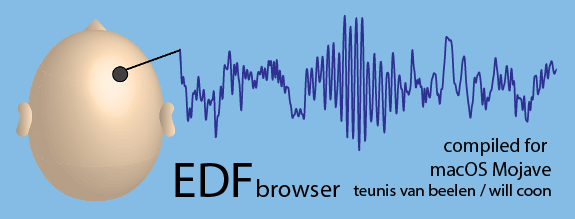



EDFbrowser is an open-source desktop program for viewing and working with medical time-series recordings. It is intended for clinicians, researchers, engineers and other users who need to inspect physiological signals, compare channels or prepare recordings for further analysis. Its primary formats are EDF and EDF+, with support for additional formats including BDF, GDF and Nihon Kohden.
The program displays multiple signals from a recording at the same time, helping users examine how channels relate across a shared time range. Display settings can be adjusted to make particular signals and sections easier to inspect. Annotation tools let users mark points or segments and add notes, which can preserve observations during clinical review or research analysis. These markers are useful when findings need to be revisited or shared with collaborators.
EDFbrowser also includes filtering and signal-processing tools for closer examination of recorded data. Users can apply processing to help assess signal characteristics, while format conversion supports workflows involving different recording systems. Data can be exported in formats such as CSV for use in spreadsheets or other analysis software, and images can be created for reports and presentations. Plugin support provides an option to extend the program for specialized workflows.
Typical uses include reviewing physiological recordings, comparing several channels, annotating events, preparing data for analysis and moving recordings between supported formats. The combination of signal display, annotations, processing and export makes EDFbrowser useful both for focused inspection and as one step in a larger research or reporting workflow. It is a data-viewing and analysis utility, rather than a replacement for the clinical equipment or procedures used to acquire and interpret recordings.
EDFbrowser is free and open source. The Windows edition supports Windows 10 and Windows 11, as well as older Windows releases. The program is also available for macOS and Linux. Its format and processing features can be useful across different fields, but users should verify that a particular recording and workflow are supported before relying on it for specialized analysis.