Embird x64
Embird x64 is an embroidery design management and editing ... embroidery files. It is organized into two workspaces: Embird Manager handles file browsing and design preparation, while ...

Embird is a modular embroidery program for creating, editing, converting, and organizing machine designs. Editor tools resize, split, mirror, and adjust individual stitches in existing patterns. Studio turns vector drawings into stitches and offers fill patterns and stitch styles for original designs. Manager provides thumbnail browsing and batch processing, while plug-ins add cross-stitch creation and Windows Explorer previews. It runs on Windows 10 and 11.
| Author: | Embird |
| License: | Trialware |
| Price: | $183.27 |
| Released: | May 12, 2026 |
| File size: | 316.00 MB |
| Downloads: | 538 |
| Keywords: | Digitizing Tools, Iconizer Plugin, stitch creator, embroidery, Embird Software, stitch, embroidery stitch editor, cross stitch software, create embroidery, design, embroidery digitizing software, Embird Studio, embroidery editor, embroidery design manager, embroidery format converter, Embroidery Design, embroidery design software, Cross-Stitch |
| Author URL: | https://www.embird.net/ |




Embird is a modular embroidery design program for hobbyists and professional embroiderers who need to create, edit, convert, and organize machine embroidery files. Its tools are grouped into components such as Editor, Studio, and Manager, so different parts of an embroidery workflow can be handled in one application. Support for multiple embroidery machine formats helps users work with designs made for different machines and move files between formats when needed.
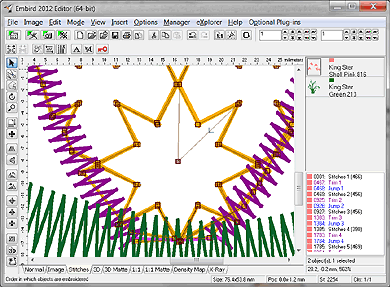
Embird Editor is used to modify existing designs before stitching. It can resize, split, or mirror a design, and its stitch-editing tools allow adjustments to individual stitches. These operations help prepare a pattern for a particular project or correct details in a design while retaining its overall structure. Importing and exporting designs in supported machine formats also makes Editor useful when adapting files for different equipment.
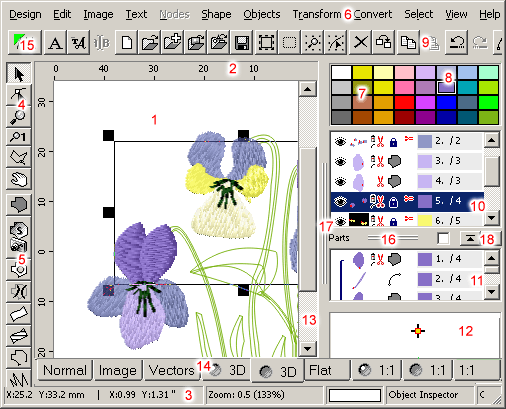
Embird Studio provides tools for building original embroidery designs. Its vector-based drawing features let users create shapes and motifs, then convert the artwork into stitches. Fill patterns and stitch styles can be selected and customized to change the appearance of the embroidered result. This workflow suits users who want to develop a design from scratch rather than only make changes to an existing pattern. A Cross Stitch plug-in adds tools for creating cross-stitch patterns.
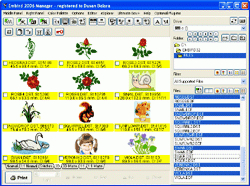
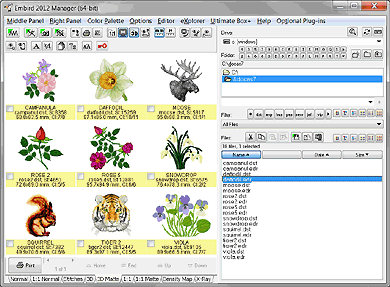
For users with extensive design collections, Embird Manager helps browse and catalog files using thumbnail previews. Batch processing can apply operations to multiple designs, reducing repetitive work when preparing groups of files. The Iconizer plug-in adds embroidery file thumbnails in Windows Explorer, allowing designs to be identified while browsing folders without opening each one in the program. These organization and preview tools complement the editing and creation features.
Embird is trialware for Windows 10 and Windows 11, with support for 32-bit and 64-bit systems. Its modular structure lets embroiderers focus on tasks such as editing, digitizing, design management, or cross-stitch creation. The suite is intended for preparing embroidery files and artwork; users should check that a chosen machine format and any required plug-ins are supported for their workflow. Tutorials and user forums are available as learning and support resources.