Dynamic Draw
Dynamic Draw is an object-oriented vector graphics editor for creating ... to users who need to arrange and revise drawing objects, such as people making flowcharts, organizational charts, ...

Epic Pen lets users draw and highlight over the Windows desktop and active applications without opening a separate graphics editor. It includes pen and highlighter tools with adjustable color and stroke size, along with cursor mode, click-to-erase, undo, and clear-screen controls. A screenshot tool saves the entire screen as a PNG, while remappable keyboard shortcuts speed up common actions.
| Author: | Tank Media |
| License: | Shareware |
| Price: | $2.00 |
| Released: | Oct 24, 2026 |
| File size: | 246 kB |
| Downloads: | 268 |
| Keywords: | desktop drawing, draw, on screen pen, screen capture png, pencil, Windows drawing app, pen highlighter eraser, Epic Pen, screen drawing, create drawing, screen highlighter, drawing application, desktop drawing app, Epic Pen free download, highlighter, annotate presentations, screen annotation tool, download Epic Pen, keyboard shortcuts, brush, screenshot grabber |
| Author URL: | https://epic-pen.com/ |
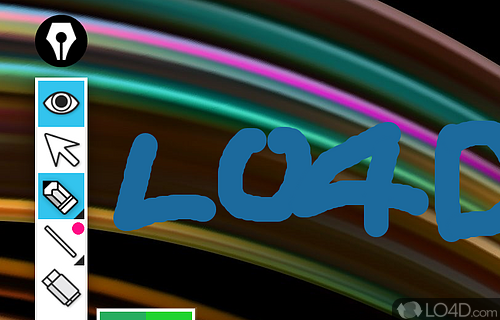


Epic Pen is a screen annotation utility for people who need to mark up presentations, documents, webpages, or other content without opening a separate drawing program. It places a small tool bar over the Windows desktop, allowing marks to be drawn on the desktop, in an active application, and across interface areas such as the Start menu and taskbar. Its pen and highlighter tools work over whatever is currently visible, so annotations can be added while presenting or demonstrating software.
The pen and highlighter can each be set to a preferred color and stroke size. When annotations need to be adjusted, an undo command reverses the last action, while the eraser removes a complete line with a click rather than by dragging over it. A clear-screen command removes all drawings at once. Switching to cursor mode restores ordinary mouse interaction, making it practical to alternate between annotating and using the underlying application.
A screenshot tool captures the entire screen and saves it as a PNG image. This provides a way to preserve a marked-up view for sharing or reference after a live demonstration. Keyboard shortcuts cover showing or hiding the utility, changing among cursor, pen, highlighter, and eraser modes, undoing, clearing annotations, capturing a screenshot, and changing stroke size. The shortcuts can be remapped, and settings can be retained for later sessions or reset to their defaults.
The compact vertical toolbar keeps the main controls close at hand and can be minimized when it would otherwise obstruct the screen. The straightforward set of drawing and capture tools is intended for everyday annotation rather than creating or editing complex artwork, and does not require prior experience with graphics software. Typical uses include highlighting a detail during a lesson, pointing out interface elements in a software demonstration, or adding temporary notes to an on-screen document.
Epic Pen is shareware and requires .NET Framework to be installed. It is available for Windows 10 and Windows 11, as well as Windows 7 and Windows 8 in 32-bit and 64-bit editions. Its screen-wide drawing approach makes it useful when annotations need to sit over different programs without modifying their files; the screenshot function saves the visible screen as a PNG when a persistent copy is needed.